
In the increasingly complex landscape of cloud storage services, Microsoft OneDrive and Apple iCloud represent two of the most common and consolidated solutions. Both offer features designed to simplify the storage, synchronization and sharing of files between devices, but they stand out for their approach, integration with the reference ecosystem and options available to the user. In this article, we are going to propose a comparison between OneDrive and iCloud, analyzing their characteristics, advantages and potential limitations, to help your business identify the solution that best suits your needs.
.png)
Companies that in the past relied on internal data servers are rapidly moving to cloud-based alternatives, with numerous advantages including reduced capital expenditures, maintenance costs and space occupied.
Whether these companies are looking for the best document archive in the cloud, the best photo archive in the cloud, the best backup in the cloud, or simply the best cloud storage in general, it is very likely that they have carefully examined the wide range of providers available.
During their research, it's likely that they considered both OneDrive and iCloud Drive. There are few cloud storage services more integrated into an operating system than Microsoft OneDrive and iCloud Drive, both of which are part of a much larger ecosystem that extends beyond software, blurring boundaries with hardware. This comparison sets them apart in terms of functionality, performance and, perhaps most importantly, value for money.
If companies remain undecided when evaluating OneDrive against iCloud Drive, in the next sections we will finally try to clarify the situation a bit by comparing the two solutions based on the list of features, support, prices and performance.
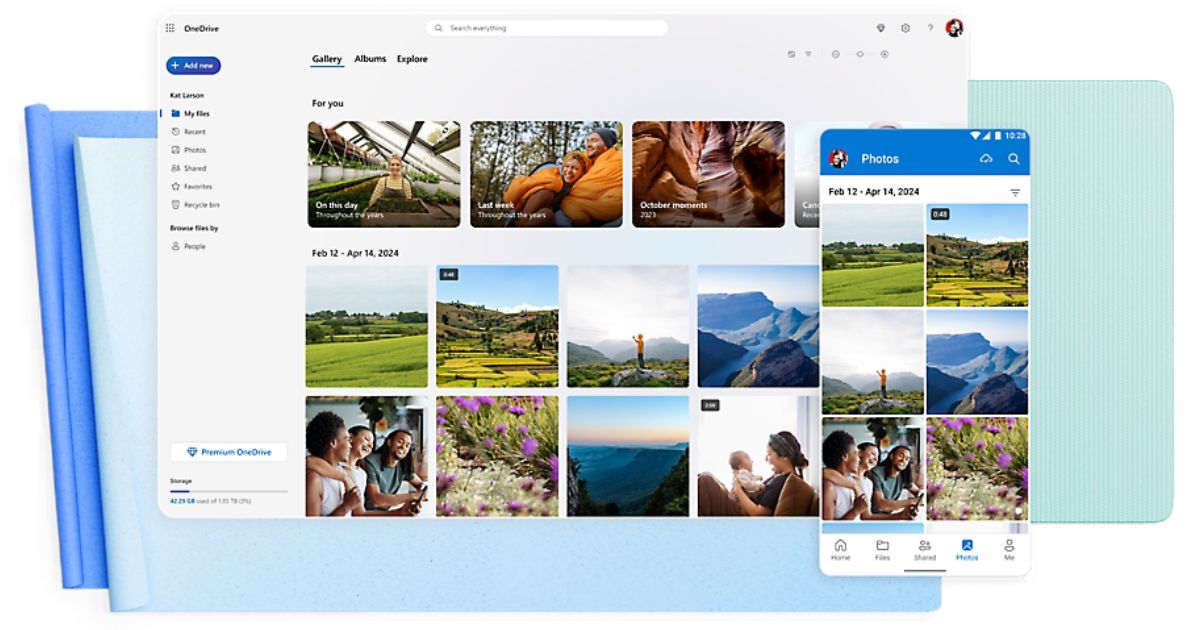
In case you didn't already know, cloud storage is a system that allows you to save and access data via Internet.
Instead of saving the files on your computer's hard drive, you can store them on a remote server, thus avoiding having to continuously check your storage cards to see how much free space you have left.
This allows you to access your files from any device connected to the internet. Cloud storage also makes it easy to share files with other people.
OneDrive and iCloud are both cloud storage services that allow you to save and access files from anywhere. Both services are pre-installed on Microsoft or Apple devices and offer a range of features, storage capacity, and pricing options.
Below is an overview of each service.
OneDrive is an online cloud storage service from Microsoft. It integrates with Windows 11 as the default location for saving documents, giving users with Microsoft accounts 5 gigabytes of free storage before offering upgrade options.
The service allows users to save files, photos, and other documents on multiple devices. A user can also save their files to OneDrive and automatically sync them to other devices. This means that a person can access and work on the same document in multiple locations. OneDrive offers relatively easy access to cloud storage, with options for sharing content with other people.
OneDrive integrates with Microsoft Office, allowing users to access Word, Excel and PowerPoint documents directly from OneDrive. It doesn't require a download and should already be part of Windows 11.
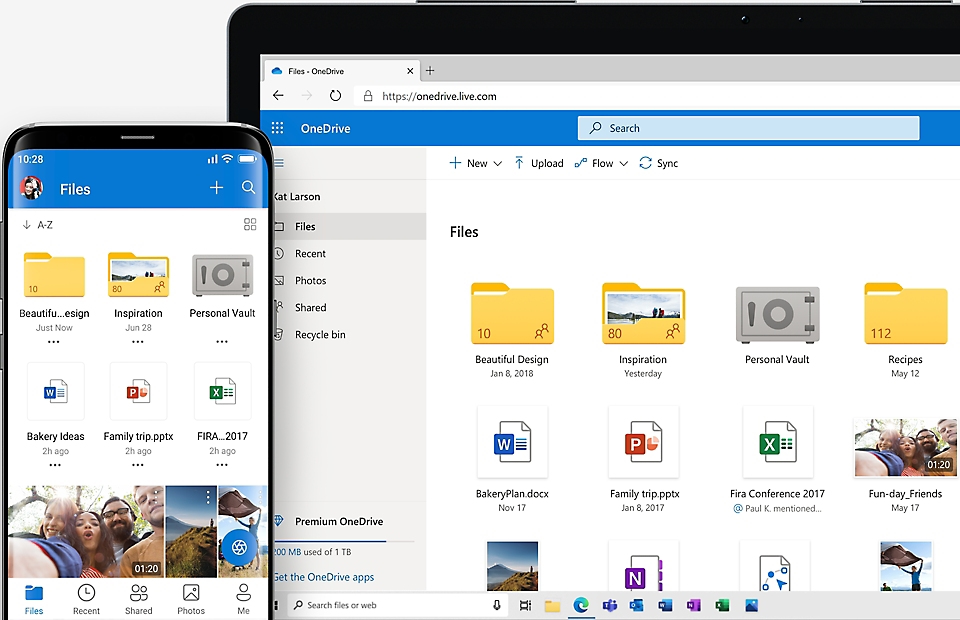
A Microsoft account is required to use OneDrive, and users will need to sign in before they can use it. To sign in, users will need to go to onedrive.com and select 'Sign In', which appears at the top of the page.
The system allows users to simultaneously edit Office documents, edit documents in browsers, and create and share folders. OneDrive also offers Facebook integration, automatic photo backup, and the ability for users to send presentations via email. Users can also scan documents and store them on OneDrive.
Users can choose where to save their data, on OneDrive or File Explorer. Those who want to use OneDrive as a data backup platform should save their data in both locations. However, other users may choose to store their files in one or the other.
OneDrive also allows you to share saved files with anyone. In OneDrive, the user must select the folder they want to share, go to the 'Share' button on the top toolbar and select 'Invite people'. Then the users can enter the email address of whoever they want to invite. If the recipient also has Office 365, the user can select an option to allow the recipient to modify the document.
There are also additional options for choosing access privileges in the drop-down menus. From this stage, users can click on the 'Share' button. Users can also generate links to share files by going to the same sharing option and choosing “Get a link.” Additional options include the ability to allow the recipient to modify the file or not. Users can then create a link, select it and copy it to share it with whoever they want.
OneDrive is also available on mobile platforms, such as Mac, iPhone, and Android.
Another feature, called 'Personal Vault', allows users to store important files with added protection. Personal Vault allows users to access archived files only through a strong authentication method or by adding another layer of identity verification, such as biometric authentication, a PIN, or a code sent to the user via email or SMS.
iCloud is Apple's cloud storage and synchronization service, designed to securely store files, photos, videos, documents, contacts, calendars, and backups of Apple devices.
Natively integrated into Apple's operating systems (iOS, macOS, iPadOS), iCloud allows users to access their content from any Apple device connected to the same Apple ID, keeping data synchronized in real time.
iCloud obviously works extremely smoothly on Apple devices. The service is already integrated into all iOS and Mac devices, so there's no need for a lot of configuration work.
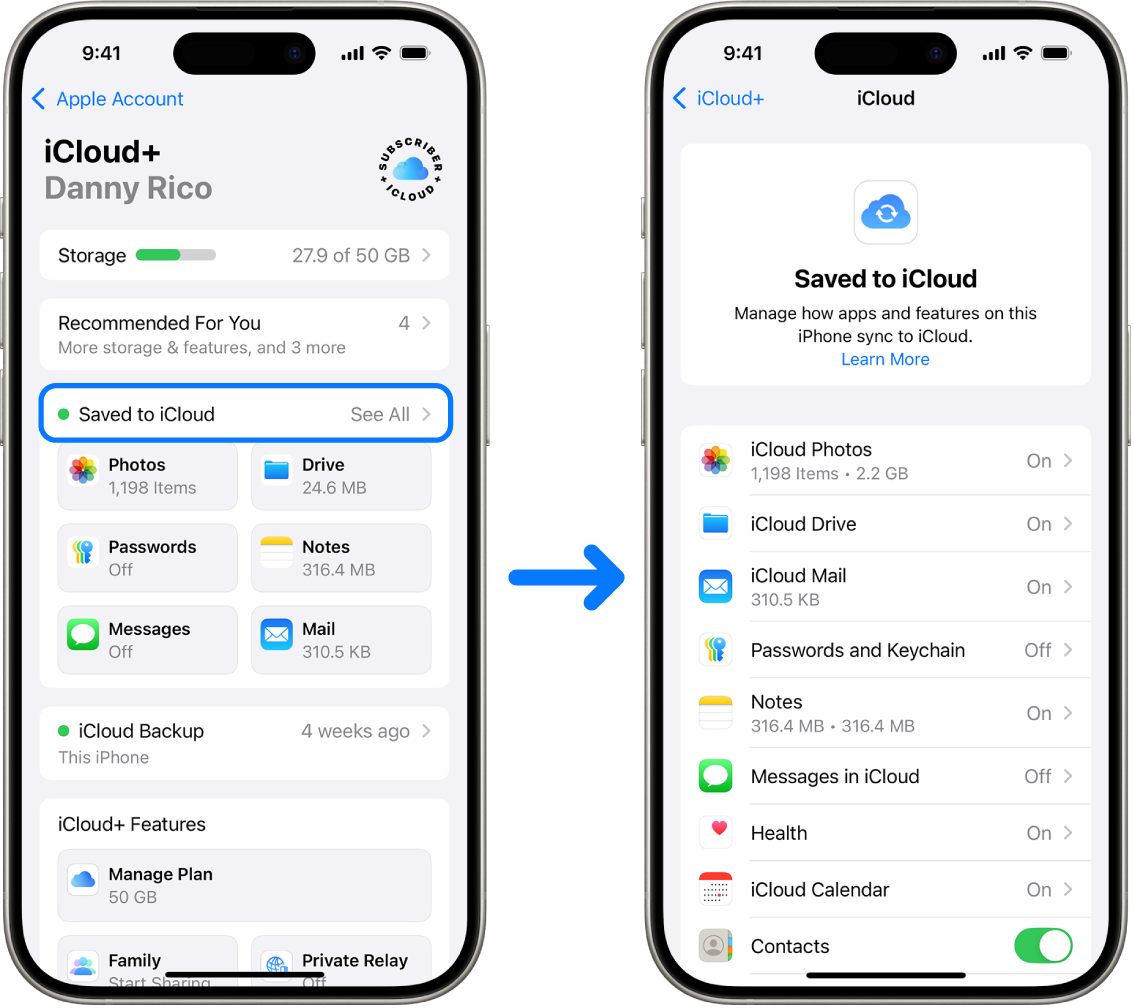
To use iCloud, simply sign up with an Apple ID, which you probably already have if you're using an iPhone or iPad. Once that's done, you can start using iCloud to store your data. All the apps on your Apple device, such as Photos, Mail, Contacts, Calendars, and Reminders, will be connected to iCloud by default.
You can also manually select which apps you want saved and synced to iCloud.
And that's basically all you need to set up iCloud on an Apple device. Any changes you make to your data will be automatically synchronized on all other devices where you have set up iCloud.
But iCloud isn't just limited to Apple users, in fact, a desktop app for Windows is also available. Once configured, iCloud for Windows allows you to save the data on your Windows PC and synchronize them on multiple devices. However, predictably, iCloud isn't as intuitive or easy to use on Windows as it is on Apple devices.
Unfortunately, there is no iCloud app for Android, but Android users can still access iCloud through the web client.
To successfully implement business processes within the Microsoft 365 ecosystem, the following skills are needed:
Dev4Side Software has the vertical technical skills to provide you with a single, transversal point of contact for all the elements of your subscription.
Now, however, let's get to the heart of the action and finally give the two the space to discuss their differences. To do this, we will evaluate all the main characteristics that are evaluated within an enterprise storage service and we will try to see together the pros and cons of both.
Let's not waste any more time and move on.
One of the main differences between OneDrive and iCloud concerns compatibility with PCs and Macs.
OneDrive is fully compatible with both PCs and Macs. You can access your files from your computer, from a mobile device, or through a web browser. OneDrive also offers apps for Windows, Mac, iOS and Android.
iCloud is primarily intended for use with Apple devices. Even though you can access iCloud files from a PC, the process isn't as smooth as with OneDrive. iCloud doesn't offer an app for Windows, so you have to access the files through a web browser.
If you're primarily using Apple devices, iCloud might be the best choice for you. However, if you're using both PCs and Macs, OneDrive is the best option.
Both OneDrive and iCloud offer integration with other devices and services.
OneDrive is fully integrated with Microsoft Office, making it simple to save and access documents, spreadsheets, and presentations. In addition, it integrates with other Microsoft services, such as OneNote and SharePoint.
iCloud is perfectly integrated with the Apple ecosystem, facilitating access to files on all your Apple devices, even though it is not an entirely business-oriented solution. On the other hand, iCloud also integrates with other Apple services, which, however, are more oriented to the home and personal environment, such as Apple Music and Apple TV+.
iCloud is currently one of the best photo storage solutions available on the market.
The platform automatically saves all the multimedia files (photos and videos) on your Apple device in the cloud and keeps them updated on all your devices.
In addition, iCloud uses artificial intelligence to automatically organize photos and videos into different categories, such as portraits, selfies, and screenshots.
One of the best features of iCloud is that it uploads high-resolution versions of multimedia files to the cloud, keeping only lightweight versions on the device, thus freeing up a significant amount of storage space.
Other types of documents and files are also automatically saved in the cloud, from where you can view them, share them and collaborate with other people. iCloud also allows you to upload files of any type up to a maximum of 50 GB.
OneDrive works in a similar way. Store and automatically upload all your photos, documents, and desktop files from your Windows PC to the cloud. You can also drag and drop any type of file into your OneDrive account, as long as it doesn't exceed the maximum size limit of 250 GB.
One of OneDrive's coolest features is 'Files on Demand'. This feature allows you to view and manage all the files stored in the cloud directly from the desktop or from the PC's File Explorer, without them taking up real space on the device.

Collaboration on documents isn't one of iCloud's strengths. The platform is not integrated with productivity suites such as Google Workspace or Microsoft Office and does not offer a real alternative within its ecosystem.
However, iCloud is integrated with Apple's productivity suite — iWork, which includes the Pages, Numbers and Keynote apps. With iWork, you can make documents read-only, grant editing permissions, invite users, and work with other people at the same time. iCloud allows up to 100 people to collaborate in real time on the same document.
OneDrive, on the other hand, is fully integrated with the Microsoft Office suite, offering more advanced real-time collaboration features. You can view, edit, and work on applications such as Word and Excel at the same time as other users, both from a web browser and through the desktop application.
Anyone with access to the document can immediately see all the changes made and easily identify which user did what and when.
iCloud and OneDrive offer similar file sharing options.
With iCloud, you can create shareable links and forward them to other users. You can also make the file accessible to anyone with the link or enter the email addresses or phone numbers of only the people you want to share it with.
It is also possible to choose whether to allow those who have access to the file to view it only or even to modify it. However, the options end here: you can't protect files with a password or set expiration dates or download limits for shared links.
OneDrive's sharing options are similar, but slightly more comprehensive. With OneDrive, you can make links accessible to everyone or invite only certain people to download them. Here, too, it is possible to make the files read-only or grant editing permissions.
Unlike iCloud, however, OneDrive also allows you to set expiration dates for links and protect them with passwords for greater security, even if these options are reserved for premium users.
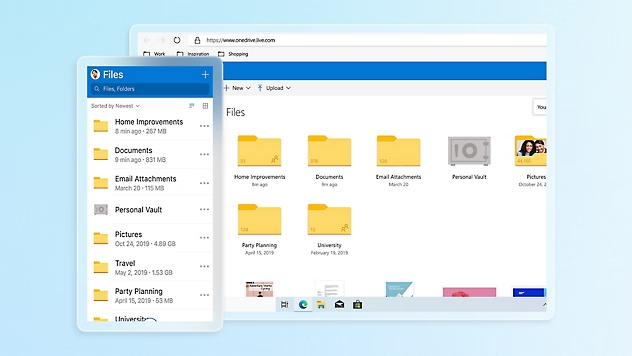
Both iCloud and OneDrive allow users to view and restore previous versions of files, but even then iCloud is more limited.
With iCloud, you can restore all previous versions of documents created with the iWork suite apps — Note, Numbers and Keynote. The platform also allows you to recover deleted files up to 30 days after deletion. However, outside of iWork documents, you can't restore previous versions of other files stored in your iCloud account.
On the contrary, with OneDrive it is possible to restore previous versions of everyone files stored in the cloud up to 30 days in advance. In addition, version history supports all types of files, including Office documents, photos, videos, PDFs, and more.
iCloud and OneDrive take similar security approaches.
iCloud uses 128-bit AES encryption, which is slightly below the industry standard. However, the platform encrypts files both during transfer and when they are stored, significantly reducing the risk of them being intercepted before reaching iCloud servers.
OneDrive uses an even stronger 256-bit encryption and encrypts user data from the first moment it starts to be uploaded to the cloud.
Both iCloud and OneDrive also offer two-factor authentication, which greatly increases login security. With two-factor authentication, users must provide two items to log in to their account: login credentials followed by a six-digit verification code sent to a trusted device or email address.
This means that, even if your username and password were compromised, your iCloud or OneDrive account would still be protected from unauthorized access.
For even greater security, OneDrive users can store data in the 'Personal Vault', a separate area within OneDrive that requires an additional level of authentication (such as a verification code, a fingerprint or facial recognition) to be accessible.
Files stored in the Personal Vault cannot be shared and the service automatically freezes after 20 minutes of inactivity. The only limit is that users with a free account can store a maximum of three files in the Personal Vault.
A separate section is dedicated to the pricing of the two services. Both companies offer similar proposals, so it is not surprising that the prices are also quite aligned and offer, for example, 5 GB of free cloud storage.
OneDrive's paid plans start at $1.99 per month for 100 GB of online space, up to $6.99 per month for 1 TB and access to the Office suite of apps.
iCloud+ plans start at $0.99 per month for 50GB, $2.99 for 200GB, and $9.99 for 2TB. These paid iCloud+ plans also include extra features such as iCloud Private Relay (which hides the IP address), the “Hide My Email” tool for creating random email addresses, support for custom email domains, and space for one, five, or an unlimited number of HomeKit Secure Video cameras, if you're using Apple's Home app.
All iCloud+ plans can be shared with up to six family members, while Microsoft charges a higher cost for its 1 TB family plan: $9.99 per month.
For business customers, Microsoft offers OneDrive for Business, a standalone product separate from Microsoft 365 but included with Office Online. It includes multi-factor authentication, integrated compliance standards, as well as auditing and reporting capabilities. OneDrive for Business is available in four plans, each with a different price that increases depending on the space and features offered:
The maximum available space is 25 TB per user.
iCloud, on the other hand, does not offer business plans, but there are subscription packages that allow you to save if you also use other Apple services.
Called Apple One, they offer:
Even these last two can be shared with six people.
In general, iCloud Drive prices are slightly cheaper and, when combined with other subscriptions, they are quite advantageous. That said, OneDrive, however, offers business plans with features such as centralized management by the administrator and for business users it is often the most practical choice thanks to its better integration.
(Prices in this paragraph were updated in April 2025)
So, at the end of it all, which of the two to choose?
It is evident from the comparison above that the iCloud offer, net of a lower price, is more aimed at a more casual and domestic user than the business world and if you are looking for a storage solution for your company, Apple's' cloud 'may not be the right solution.
On the other hand, OneDrive, net of slightly higher costs, is a solution that has been specifically designed and adapted also for work use and is currently the best possible choice for businesses of all types and sizes.
A storage space for all those companies that want to have a space “in the clouds” where they can store their data and documents with a good quality/price ratio and with the guarantee that the data is accessible and secure at a higher level than services related to the field of personal use.
1. What is the main difference between OneDrive and iCloud?
OneDrive is designed to work best in Microsoft environments such as Windows and Microsoft 365, and it offers more comprehensive features for work-related use. iCloud is built for the Apple ecosystem and mainly focuses on simple synchronization across iPhone, iPad, and Mac devices.
2. Which solution is more suitable for a business?
In general, OneDrive—especially OneDrive for Business—is more suitable for business environments because it offers dedicated plans, centralized management tools, and features focused on compliance and governance. iCloud does not provide structured business plans and is primarily intended for personal use.
3. Which is better for people working across Windows and Apple devices?
If you use both Windows PCs and Macs or iPhones, OneDrive is generally more practical because it delivers a more consistent experience across different systems and provides dedicated applications on multiple platforms.
4. Which one is better for storing and managing photos and videos?
iCloud is often more convenient for users of Apple devices, thanks to advanced photo library management, automatic synchronization, and storage optimization that keeps high-quality files in the cloud and lighter versions on the device.
5. Which one offers more advanced document collaboration features?
OneDrive offers more advanced collaboration features because it is integrated with Microsoft Office and enables real-time co-authoring. iCloud supports collaboration through iWork, but within an ecosystem that is less focused on team-based work in business contexts.
The Modern Work team specializes in developing and integrating custom solutions across the entire Microsoft 365 ecosystem. We design native applications for Microsoft and Azure platforms, and we implement business processes that maximize the return on investment in Microsoft 365.


