
Microsoft apparently doesn't seem like a big player in the website builder arena, but the reality is quite different and there are many options that the Redmond company has made available over the years for building pages, portals and web platforms, both corporate and non-corporate. However, over time, many of these software have become obsolete and no longer officially supported by Microsoft, in favor of the more modern solutions set up by the American giant in recent years. In this article, we are going to give a brief overview of the website building offer made available by Microsoft over the years and what options are currently available for your business.
.png)
Practically everyone in the world has heard of Microsoft, the American multinational technology company founded by the legendary Bill Gates, after all it is probably the largest software manufacturer in the world and Gates declared many years ago that his mission was to have “a computer on every desk and in every home.”
If we also consider mobile devices, we could safely say that it has achieved its goal and the Redmond software house is now one of the best-known names in the field of business and home productivity.
But how is the American giant doing when it comes to creating websites?
Those who are not particularly well versed in the Microsoft world may not know the many options that Microsoft has made available to its users and customers over the years for the creation of web pages, business and not.
So let's get ready to discover them all in the next sections, starting from the oldest and now obsolete ones to the current solutions that the Redmond company offers to its customers. Let's not waste any more time.
As mentioned in the introduction, we will start by taking a look at the oldest and now obsolete offers to clarify to the less experienced users which solutions are no longer officially supported by Microsoft and to better understand the evolution of the Redmond company in the field of softwares dedicated to the development of websites and web apps.
Microsoft FrontPage (full name Microsoft Office FrontPage) was a WYSIWYG HTML editor and website administration tool developed by Microsoft for the Microsoft Windows line of operating systems. It was part of the Microsoft Office suite from 1997 to 2003.
FrontPage was available for nearly two decades, but support was discontinued in 2009. The old FrontPage HTML editor was later replaced by Microsoft Expression Web and the lesser-known Microsoft SharePoint Designer.
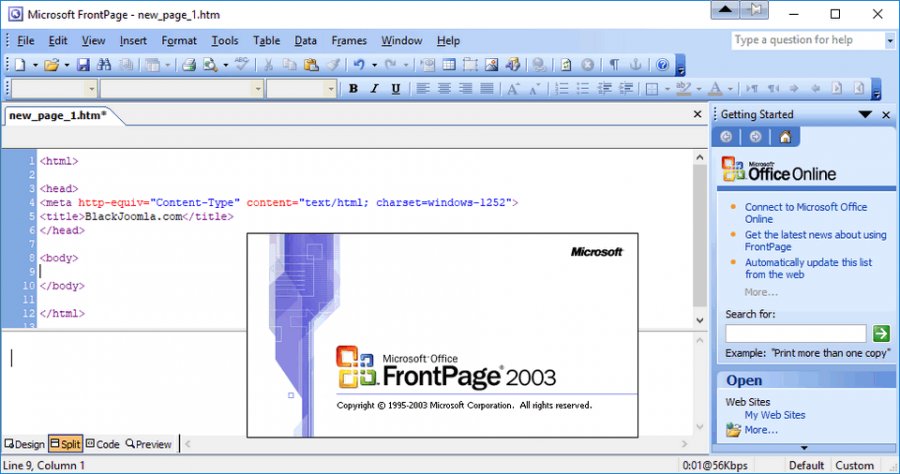
As a “WYSIWYG” (What You See Is What You Get) editor, FrontPage was designed to hide the details of the HTML code of the pages from the user, allowing even beginners to easily create web pages and websites.
FrontPage required a set of server-side plugins initially known as IIS Extensions. This set of extensions has been greatly improved with the inclusion of FrontPage in the Microsoft Office line with Office 97 and later renamed FrontPage Server Extensions (FPSE). Both sets of extensions needed to be installed on the target web server for its content and publishing capabilities to work.
FPSE 2002 was the last version released that also works with FrontPage 2003 and was later updated to IIS 6.0. However, with FrontPage 2003, Microsoft began to detach itself from its proprietary Server Extensions to switch to standard protocols such as FTP and WebDAV for remote web publishing and authorization. FrontPage 2003 could also be used with Windows SharePoint Services.
In 2006, Microsoft announced that FrontPage would eventually be replaced by two products: Microsoft SharePoint Designer would allow business professionals to design SharePoint-based applications while Microsoft Expression Web was aimed at web design professionals for creating feature-rich websites.
Microsoft Expression Web was an HTML editor and general web design software developed by Microsoft, now discontinued. It was deprecated on December 20, 2012 and later made available free of charge by Microsoft. It was a component of Expression Studio, which was also discontinued.
Expression Web can design and develop web pages using HTML5, CSS 3, ASP.NET, PHP, JavaScript, XML+XSLT, and XHTML. Expression Web 4 requires .NET Framework 4.0 and Silverlight 4.0 to be installed and work. Expression Web uses a standards-based rendering engine that is different from Internet Explorer's Trident engine.
Designed specifically for Microsoft developers, Microsoft Expression Web 4 supports ASP.net and Microsoft Silverlight. You can modify the website code either directly or through the easy-to-use visual editor.
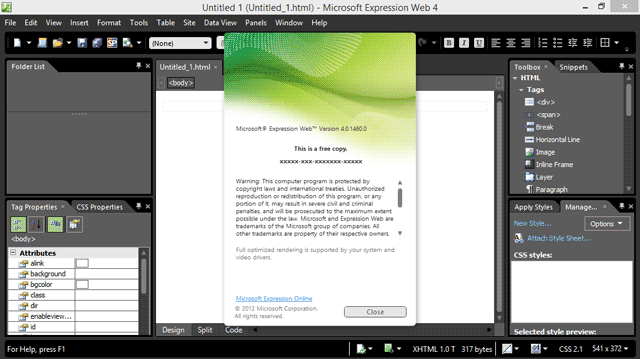
Microsoft Expression Web 4 was offered to the public on June 7, 2010 and among its new features were the addition of the HTML add-in option and access to a web-based feature called SuperPreview, to test pages on browsers that cannot be installed on the user's system (such as Mac OS X or Linux browsers).
Microsoft Expression Web 4 also provided an SEO Checker that analyzed the produced website with respect to best practices to obtain the best possible rankings in search engines, even if it is now a feature that is no longer in line with modern SEO.
Expression Web 4 Service Pack 1 was released in March 2011 and added IntelliSense support for draft HTML5 and CSS3 specifications in the code editor, support for HTML5 and CSS3 in the CSS property palette, selected CSS3 properties in style dialogs, HTML5 semantic tags in the project view, and new PHP 5.3 functions.
Service Pack 2, on the other hand, was released in July 2011, solving several problems and introducing new features such as support for jQuery's IntelliSense, a panel for managing snippets, the interactive snapshot panel, the comment/uncomment functionality in the code view and the customization of the workspace and the toolbar.
Starting in December 2012, Microsoft announced that Expression Studio would no longer be a stand-alone product and Expression Blend was integrated into Visual Studio, while Expression Web and Expression Design became free products. Technical support was available to customers who purchased Expression Web or Expression Design following published support guidelines, while no support was offered to those who downloaded the products for free.
Expression Web 4 also stood out for being particularly suitable for integrating multimedia files such as videos and photos into web pages. This website editor still has some interesting features and is completely free, so it's worth trying it out if you are looking specifically for a Microsoft website builder, however for needs related to the business world it may no longer be the best choice, relegating it to the world of hobby development.
As the name suggests, SharePoint Designer was a design program closely linked to SharePoint, the Microsoft collaboration platform developed to create intelligent corporate sites.
SharePoint is still used today (in particular in its version ”Online”, completely cloud-based) by companies of all sizes in the world to build team sites ideal for managing projects and initiatives and communication sites, such as the intranet and the extranet, where you can collaborate on documents stored in the Microsoft cloud or publish internal communications, employee services, training content and much more.
SharePoint Designer was part of the context of designing intranets based on SharePoint with its functionalities for customizing the sites created with the platform, from the layout to the individual components of which they were made up.
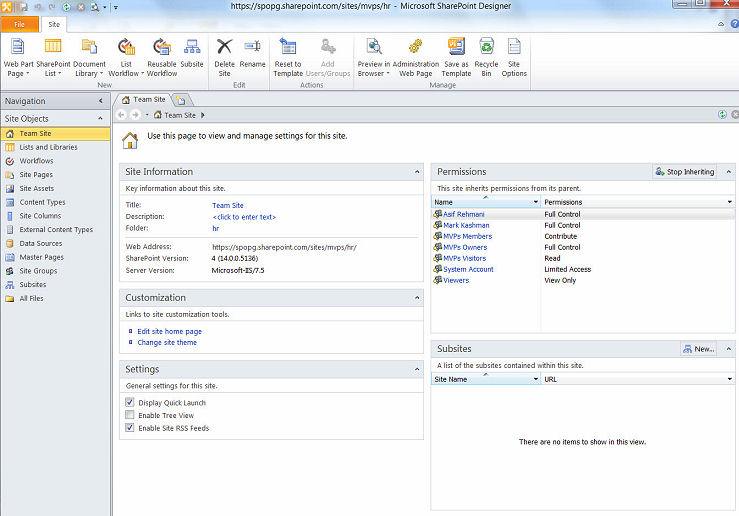
Thanks to its design and editing capabilities, SharePoint Designer allowed its users for the first time to transform SharePoint sites from simple document archives to dynamic portals that favor and make internal business processes more immediate.
To do this, the application offered a single space from which it was possible to modify the elements that made up sites and related pages and also work on the relationships that linked these elements, so as to be able to design the user's navigation within the site down to the smallest detail.
With the automated workflows that could be created with Designer, it was possible to link to the actions that users perform on a SharePoint site in a concatenation of events aimed at completing repetitive activities or those “bureaucratic” operations that every day steal time, energy and space from other types of operations more useful for achieving business objectives.
To successfully implement business processes within the Microsoft 365 ecosystem, the following skills are needed:
Dev4Side Software has the vertical technical skills to provide you with a single, transversal point of contact for all the elements of your subscription.
And with this section we now come to the website building solutions currently supported by Microsoft and let's start with one of the flagships of the Power Platform, the Redmond company's low-code/no-code development suite: Microsoft Power Pages.
Microsoft Power Pages represents a significant step in the development of low-code websites and this solid tool allows companies to easily create secure, scalable and easy-to-use websites, minimizing the need for complex code.
However, let's not be fooled by the ease of use, thinking that Power Pages, a low-code development platform, does not have the capacity to build complex sites. In fact, it's quite the opposite.
Power Pages has the ability to support business-wide professional solutions, including community service sites (funding questions, incident and outage reports, and more), FAQ sites (common questions about products, services, policies, and more), self-service customer care services (24/7 support for services such as returns, appointment bookings, and warranty registrations).
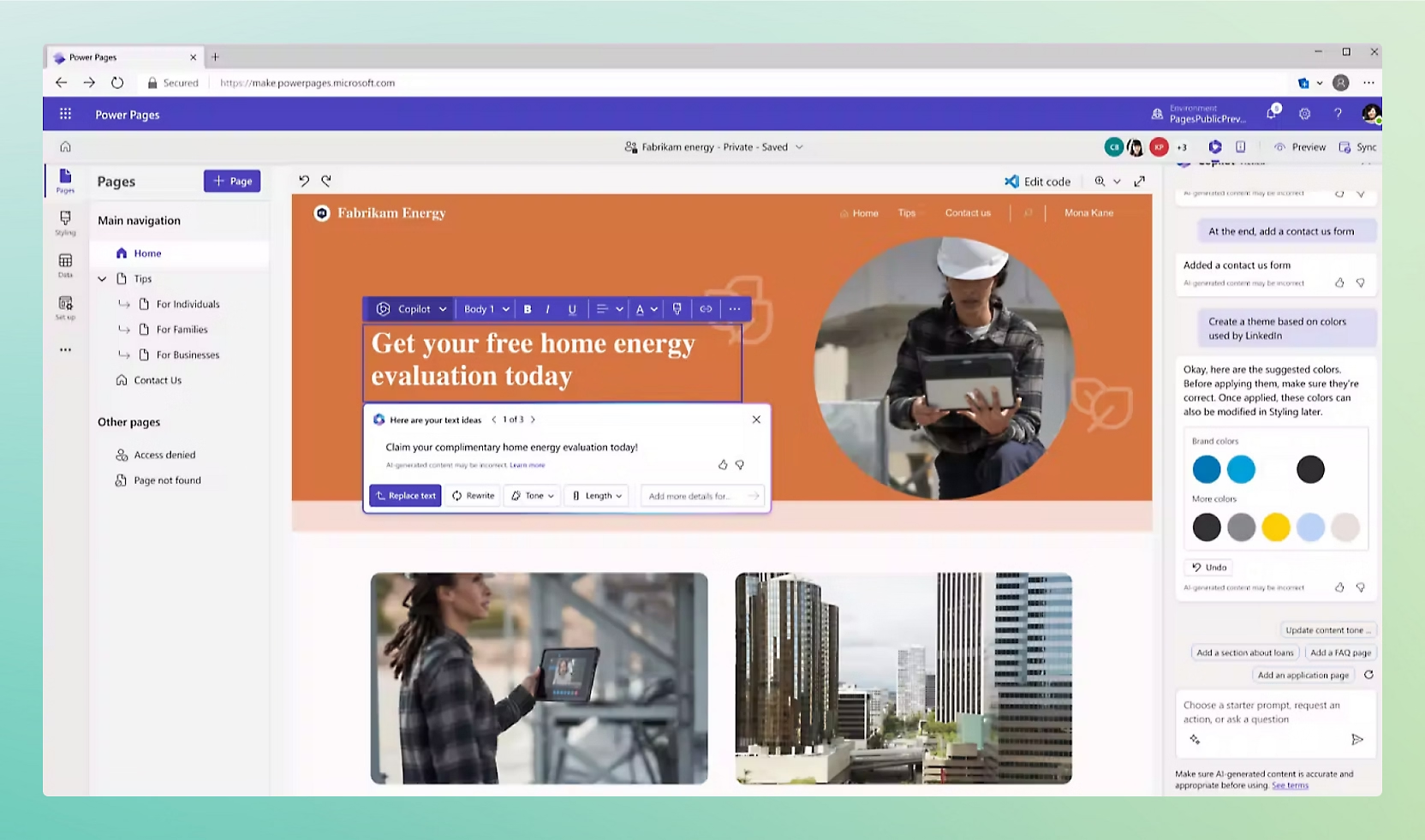
Users can also create portals, such as message boards and forums, and for teams and businesses that want a space to further connect with customers and partners, this functionality can help build a community within the organization.
Key features of Power Pages include:
Starting in 2016, during the period of gradual abandonment of Designer as a development solution for designing its SharePoint sites, the so-called “Modern Experience” has meanwhile been introduced and promoted by Microsoft as the future of its SharePoint.
This new interface and design framework were released gradually, with continuous updates and improvements that brought new functionality and improvements over the following years.
Microsoft's goal was to provide a more modern, responsive and user-friendly experience than the classic SharePoint interface, better adapted to the needs of modern organizations and integrating more closely with the rest of the Microsoft 365 ecosystem.
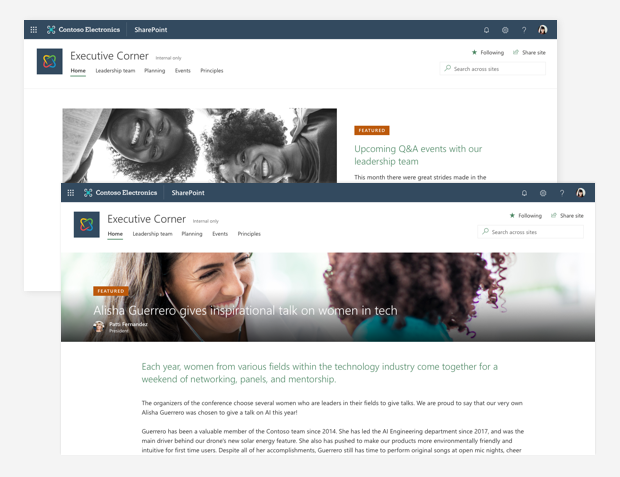
The substantial differences between SharePoint Designer and the SharePoint Online design interface therefore concern the approach to personalization, the ease of use and the available functionality.
SharePoint Designer allowed extensive control through direct editing of HTML, CSS, XSLT and others. Users could create and modify master pages, page layouts, and it allowed them to modify the source code of pages and other elements directly, offering flexibility but requiring significant technical expertise.
Designer was widely used to create complex custom workflows and allowed you to create and customize forms (for example, list forms) and data visualizations through Data View Web Part and XSLT, as well as providing management functions for site navigation, content structures and page links.
However, the correct use of all these features required a good knowledge of SharePoint and web technologies, making it a better tool for developers and advanced users.
The SharePoint Online interface, on the other hand, is designed to be used without the need to write code and is focused on a faster and more intuitive experience, accessible to a wider audience and that offers out of the box a wide range of web parts that can be easily configured and placed through the drag-and-drop interface provided by Microsoft.
The modern interface allows the creation of modern sites and pages, which are responsive and easier to use than the classic versions, and the customization of themes, layouts and contents without the need for code. Users can change colors, fonts, and styles through the user interface.
Since its first introduction, the SharePoint Online Modern Experience represented a significant step forward compared to the Classic Experience and offered the Microsoft public a more powerful, user-friendly and integrated platform for content management and collaboration within organizations, becoming what is now the standard for modern business needs.
But what if we were looking for a more technical solution that allows the maximum degree of customization and control over the final result? Well, there's only one choice.
Visual Studio is an integrated development environment (IDE) developed by Microsoft that is used to develop computer programs, including websites, web apps, web services, and mobile apps.
It is based on several Microsoft development platforms, including Windows API, Windows Forms, Windows Presentation Foundation (WPF), Microsoft Store and Microsoft Silverlight, and is able to generate both native and managed code.
Visual Studio includes a code editor with support for IntelliSense (the automatic code completion feature) and for code refactoring. The built-in debugger works both at the source and at the machine level.
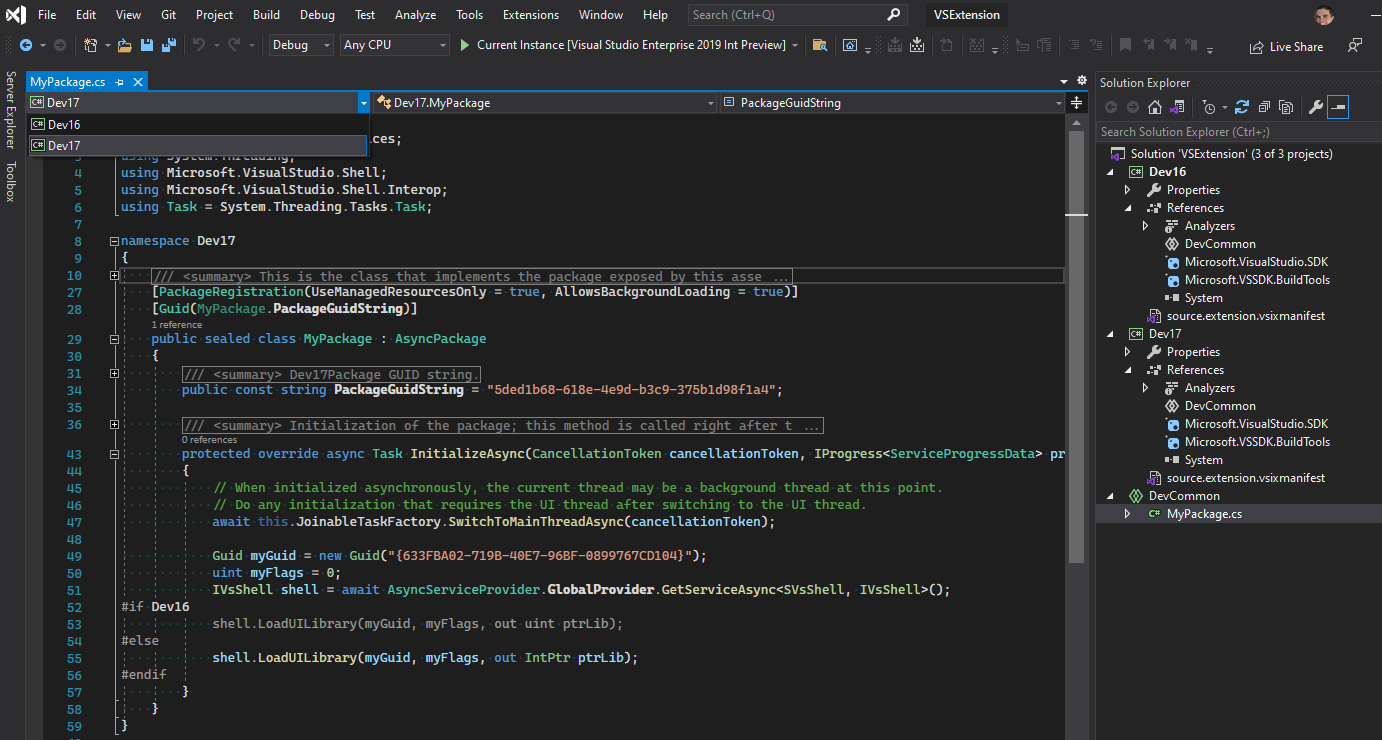
Other integrated tools include a code profiler, a designer for creating graphical interfaces (GUI), a web designer, a class designer, and a designer for database schemas. It supports plug-ins that extend its functionality to almost any level, including support for version control systems (such as Subversion and Git) and the addition of new tools such as editors and visual designers for specific languages or for other aspects of the software development lifecycle (such as the Azure DevOps client: Team Explorer).
Visual Studio supports 36 different programming languages [citation needed] and allows the editor and debugger to support (with different levels of integration) almost any language, provided that there is a specific service for that language. Built-in languages include C, C++, C++/CLI, Visual Basic.NET, C#, F#, JavaScript, TypeScript, XML, XSLT, HTML, and CSS. Support for other languages such as Python, Ruby, Node.js, and M is available through plug-ins. In the past, Java (and J#) were also supported.
The simplest edition of Visual Studio, called the Community Edition, is available for free. The slogan of the Community Edition is: “free and comprehensive IDE for students, open-source developers and individual developers.”
As of March 23, 2025, Visual Studio 2022 is the last stable version available. Visual Studio 2015, 2017, and 2019 are in extended support.
As can therefore be seen, Microsoft has always had, and continues to have within its offer platforms for the development of websites, suitable for any kind of use scenario and level of user competence.
The Redmond company, for its part, obviously pushes its users (business and not) towards the most recent solutions, both because they are objectively more advanced than their predecessors, and because of their greater ease of use (with particular reference to Power Pages and SharePoint Online).
So do you want to develop web pages relying on Microsoft's secure and reliable environments? You are spoiled for choice and you will be able to choose the solution that best suits your needs and your technical level in no time at all.
1. What is a Microsoft Website Builder?
There is no single Microsoft website builder. Over the years, Microsoft has provided several solutions for building websites, ranging from visual tools to low-code platforms and professional development environments.
2. What is Microsoft Power Pages?
Microsoft Power Pages is a low-code platform within the Power Platform that allows organizations to build secure, scalable business websites and portals integrated with Microsoft Dataverse and Microsoft 365.
3. Can SharePoint Online be used as a website builder?
Yes. SharePoint Online is especially suitable for corporate websites such as intranets, extranets, and communication portals. The Modern Experience enables the creation of responsive pages without writing code.
4. What is the difference between SharePoint and Power Pages?
SharePoint is primarily designed for internal content, collaboration, and corporate communication. Power Pages is better suited for external websites and portals accessible to customers and partners.
5. Is Visual Studio a solution to build websites?
Yes, but it is intended for professional developers. Visual Studio offers maximum control and customization, but it requires advanced technical skills.
The Modern Work team specializes in developing and integrating custom solutions across the entire Microsoft 365 ecosystem. We design native applications for Microsoft and Azure platforms, and we implement business processes that maximize the return on investment in Microsoft 365.


