
SharePoint Premium, formerly known as Microsoft Syntex, is a content understanding, processing, and compliance service that uses artificial intelligence and machine learning to automatically organize and classify documents in its SharePoint collection. This service is sometimes also referred to as an intelligent content processing service or Intelligent Document Processing (IDP) and has the effect of transforming your data into knowledge. In this article, we are going to take a better look at what it is, how it works and how it can help your business to tidy up its documentation.
.png)
Organizations store and manage large volumes of documents and forms: from contracts and billing statements to requests, questions, and more.
Most companies struggle to make sense of these immense amounts of information effectively; extracting key knowledge and making the best use of it represents a major challenge. And as they try to find a solution, thousands of new documents are constantly being added to the set.
Microsoft SharePoint has long been a cornerstone of business collaboration, offering businesses a powerful platform for document management, data archiving, team collaboration, and content sharing. SharePoint provides a dynamic, scalable environment where users can manage information, coordinate workflows, and collaborate seamlessly across organizational boundaries.
Many organizations already use SharePoint to store large document collections, distributed across hundreds or even thousands of document libraries within SharePoint and Microsoft Teams sites. Each of these documents can contain valuable information — and SharePoint Premium is the service that allows you to extract that hidden value.
SharePoint Premium enhances SharePoint functionality by automating the process of extracting key information from documents. This is done through the use of predefined SharePoint Premium templates, which are for all intents and purposes templates of Machine Teaching based on artificial intelligence.
Once created, a template can be published to one or more document libraries, automating the extraction of document metadata. Not only does this save time and money, but it also improves the findability of each document, and this is how SharePoint Premium strengthens the company's memory (the available knowledge) and transforms an otherwise hidden document into a valuable business asset.
Curious to know more? Let's take a deeper look at it in the next sections.

Microsoft SharePoint Premium refers to an extended version of SharePoint Online, offered through Microsoft 365. It is part of the enterprise suite of SharePoint Online and includes additional functionality, advanced customization options, and enhanced security features, making it suitable for large organizations or businesses with complex document management and collaboration needs.
The original product was born from Project Cortex by Microsoft, from which SharePoint Syntex (October 1, 2020) and Topics (in 2021, as part of the launch of Microsoft Viva) emerged. At that stage, SharePoint Syntex was focused solely on the functionality of Intelligent Document Processing (or understanding documents). Later, SharePoint Syntex was relaunched as Microsoft Syntex and was expanded to include a much larger set of features.
The Syntex brand has been disbanded and merged into SharePoint Premium, which incorporates its AI-based content processing capabilities into the new premium offering. This rebranding was officially announced during Microsoft Ignite on November 15, 2023.
The transformation of Microsoft Syntex into SharePoint Premium represents an enhancement of Microsoft's content services platform. SharePoint Premium is now presented as a platform for the content and experience management, based on artificial intelligence, designed to increase productivity and enhance business content.
In simple words, SharePoint Premium is a content service of Microsoft 365 that helps organizations to:
It offers a complete suite of features designed to manage and protect critical information throughout its life cycle and to prepare it for use with Copilot for Microsoft 365, the next-generation AI assistant that is revolutionizing the business productivity of those who work in Microsoft environments and beyond.
But what are the functionalities and characteristics that distinguish it?
There are several key elements — focused on services and content intelligence — of SharePoint Premium that have evolved from Microsoft Syntex:
But over time, the service has evolved substantially from the base set by Syntex and its functionalities have been significantly expanded and redefined. Let's see together as below.
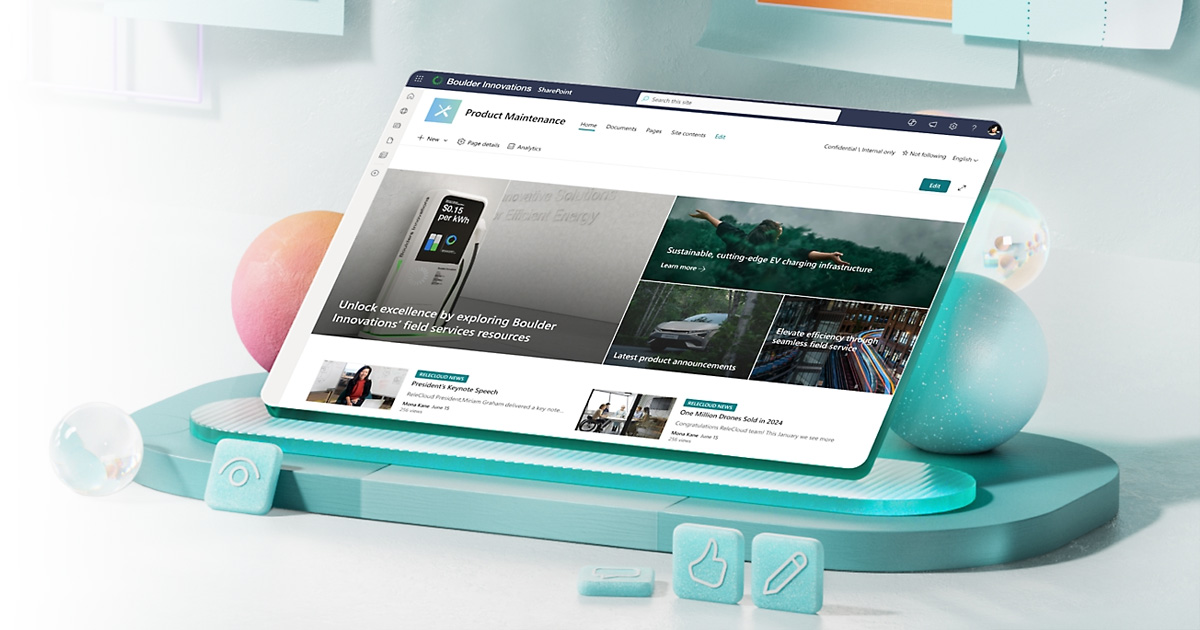
When you activate and configure SharePoint Premium, the starting point is to create a Content Center. A content center is a special type of site designed to manage Premium models (formerly known as Syntex Document Understanding Models), while offering the possibility to integrate metadata and workflows, as well as to configure compliant automations.
Within the content center, a template creation tool allows Premium to “teach” how to read and process documents, similar to how you would do it manually.
SharePoint Premium uses these templates to automatically recognize content, extract relevant information, and apply metadata tags. Integrated visual analytics help monitor the effectiveness of the models.
SharePoint Premium can automatically tag images using a visual dictionary that includes thousands of commonly recognized objects. In addition, SharePoint Premium is able to recognize and convert handwritten text into tags, which can be used both for searching and for further processing processes.
This advanced visual and text recognition functionality opens up new possibilities for the organization and valorization of unstructured content within the Microsoft 365 ecosystem. The images contained in documents, reports or digitalized forms thus become active sources of information, while handwritten notes — such as annotations on contracts, sketches or meeting notes — can be transformed into searchable metadata.
Translation? It makes it possible to significantly improve the findability and intelligence of corporate information assets, making data accessible and usable that would otherwise remain hidden in the files.
You can teach SharePoint Premium to read its content the way we would read it and build artificial intelligence models without writing code. It can automatically suggest or create metadata, activate customized workflows with Power Automate, and apply compliance labels to enforce record retention or management policies.
Document comprehension models are based on language comprehension models (Language Understanding) by Azure Cognitive Services. These templates are created and managed within a SharePoint Premium content center, and you can publish and update them in any document library in any SharePoint Premium content center.
In addition to the models of Machine Teaching, SharePoint Premium also includes a powerful form processing engine, based on AI Builder, which allows you to automatically recognize and extract common values such as dates, amounts, names or addresses from structured or semi-structured documents. Even these models can be created without writing code and require only a few sample documents to obtain reliable results.
This functionality is especially useful in business environments where large volumes of standardized forms, such as invoices, purchase orders, refund requests, or enrollment forms, are managed. By automating the extraction of key data, SharePoint Premium dramatically reduces manual entry times, limits human errors, and accelerates the integration of information into business systems.
The approach low-code/no-code it also allows non-technical teams to create and implement customized models on their own.
Shared content types can be published to SharePoint and Microsoft Teams through Hub site of SharePoint. Publishing content types from the central collection to hub sites offers a flexible way to ensure that the most used content types — enriched with content understanding capabilities — can be distributed and updated quickly across large areas of the architecture, as needed. Sites connected to the hubs will automatically receive published or updated content types.
This ability makes it possible to standardize and harmonize information management at the business level, fostering consistency between departments, teams and projects. Shared content types allow you to centrally define document models complete with metadata, compliance labels, workflows, and AI processing logic.
Once published, they can be used by multiple teams without duplication or inconsistency, helping to strengthen control over data, improve content quality and accelerate collaboration processes between employees.
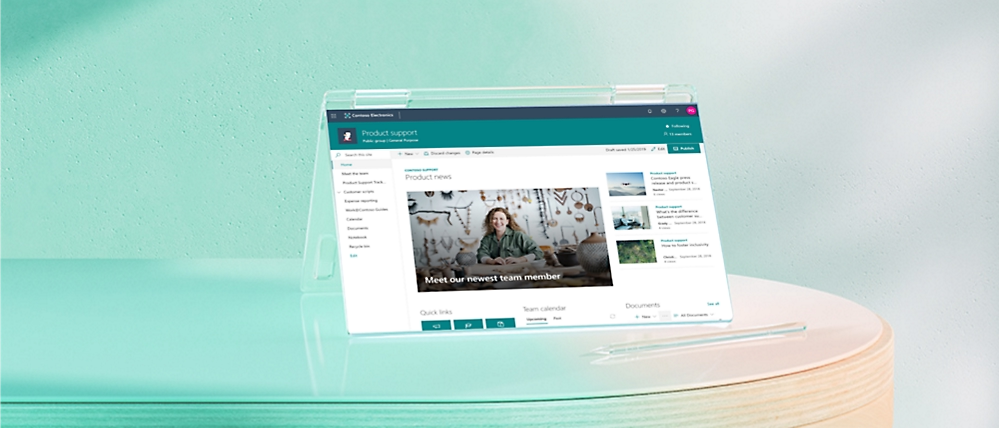
We created intranet.ai, which now has over 200 installations worldwide. It is the complete and customizable solution for digitizing the processes and communication of any company.
Our experts will help you:
Get in touch if you're considering an intranet project using SharePoint Online.
Now we know better what it is and what features distinguish SharePoint Premium. But how do you translate these functionalities into practice?
In this section we are going to see how, listing and describing some of the most common use cases of the service to give us a better idea of its potential to assist us in our everyday document management work.
Inefficient manual processes for contract approval, review, and tracking cause delays, increase the risk of errors, and ultimately lead the company to lose its most valuable asset: time.
With SharePoint Premium, artificial intelligence can automatically classify contracts and extract key data such as dates, parties involved, and economic values. It is possible to configure workflows that are activated for approvals and reminders, while automatic version control ensures that the most up-to-date version of the document is always used.
The integration with Power Apps also allows the use of customized forms for contract approval and automatic notifications, improving traceability and simplifying the entire contract life cycle. This approach reduces bottlenecks, accelerates decision-making processes, and strengthens the governance of legal documents.
Additionally, SharePoint Premium promotes other uses including tagging packing slips, customs documents, invoices, and other documentation.
It's no secret that manually processing expense reports is a tedious and error-prone task. Fortunately, SharePoint Premium can help manage expenses by extracting data (such as date, amount, and vendor) from receipts and invoices sent through SharePoint.
This data can then be automatically entered into expense report forms created with Power Apps, saving time and reducing errors.
Customer onboarding can be disorganized. All of us have experienced inconsistent and lengthy onboarding processes that leave us frustrated and wondering why we took this path. To define these types of customer experiences as' poor 'would be to overestimate them.
With SharePoint Premium, you can automate document composition to create customized onboarding packages for customers. SharePoint Premium content governance helps ensure consistency in branding and regulatory compliance.
Due to data fragmentation or lack of effective communication between departments, sales representatives often don't have easy access to the most up-to-date sales materials and product information. In addition to generating frustration among the various teams, this also involves a waste of time.
SharePoint Premium can help you easily organize and categorize sales content (presentations, competitive analysis, and similar content) using artificial intelligence and user-defined tags.
Advanced search capabilities allow representatives to find quickly the information they need, while content governance ensures that compliant and up-to-date materials are used.
As mentioned earlier for expense management, manual entry of data from paper invoices is slow and prone to errors.
With SharePoint Premium, invoice processing becomes much easier. You can take advantage of SharePoint Premium's integration with Microsoft Azure Cognitive Services for optical character recognition (OCR). All you need to do is upload an image of the invoice to a SharePoint document library.
For convenience, the OCR will automatically extract the text and convert it into a searchable and editable format.
The extracted data, such as date, supplier, amount and detail items, can be automatically inserted into customized forms created with Power Apps, thus eliminating manual data entry.
SharePoint workflows can be activated based on the content of the invoice. For example, an approval flow may be initiated for invoices that exceed a certain amount.
Collaboration is great when it works, but traditional paper-based processes or legacy review systems are cumbersome and lack real-time collaboration capabilities.
With SharePoint Premium, simply upload the document to a SharePoint document library. The various supported file types include PDFs and images. After doing this, you can use the annotation features built into SharePoint to highlight specific sections, add comments, and tag relevant colleagues.
Then team members can collaborate in real time, providing feedback and suggestions directly on the document. The integration with Power Automate then allows the use of automated workflows that activate onboarding tasks and communications based on customer actions.
Finally, version history helps ensure that everyone is working on the latest version, while SharePoint's search capabilities allow anyone to find quickly annotated documents based on specific keywords or comments.

So far everything is extremely interesting. But the costs?
The cost of SharePoint Premium may vary depending on the specific features and services that you choose to implement. In general, the price is based on a model Pay-as-you-go, that is, you pay only for the services you use. This flexible pricing structure allows organizations to adapt usage and costs according to their needs.
One of the main benefits of SharePoint Premium is that it can be purchased in modules, allowing organizations to select and pay for only the functionality they need. This modular approach ensures that you can customize your SharePoint environment to meet your specific needs without incurring unnecessary costs.
Purchasing SharePoint Premium in modules, you can therefore maximize your investment and ensure that you pay only for the features that bring value to your organization and that you gradually expand SharePoint's capabilities as your needs evolve, without the need for a large initial investment.
Until December 2025, if you have configured billing Pay-as-you-go, your organization receives a limited amount of capacity included for certain services every month, allowing you to try them out at no cost. This offer does not include the capacity for Microsoft 365 Archive or Microsoft 365 Backup.
Here are some of the key components of SharePoint Premium, relevant to information managers, that can be purchased individually:
To find out more about the pricing of SharePoint Premium and all the individual services, please consult the official documentation made available by Microsoft.
Document management cannot and must not remain tied to old legacy systems that prevent our data from becoming the precious resource that they are, but it must look to the future and to a significant evolution in the way we conduct it.
SharePoint Premium, by virtue of its advanced features, represents in this case that future we are talking about and is currently one of the best IDP systems currently on the market. Building on the solid foundations of the Microsoft ecosystem and exploiting the numerous integrations with the software and services that compose it, SharePoint Premium represents a solid solution for anyone who is already familiar with the latter or wants to approach it.
It is therefore most likely the document processing system that was being sought to finally make sense of the thousands of documents that every company produces every day and transform them into real value, also saving precious time and money. Why not give it a chance, then?
1. What exactly is SharePoint Premium?
SharePoint Premium is the evolution of Microsoft Syntex: a Microsoft 365 service that uses artificial intelligence and machine teaching to understand, classify, and automatically process documents and content stored in SharePoint and Teams. It turns files into structured knowledge, improving search, governance, and productivity
2. How does SharePoint Premium differ from “standard” SharePoint Online?
SharePoint Online provides the core capabilities for document storage, collaboration, and site management. SharePoint Premium adds an “intelligent” layer: AI models for automatic metadata extraction, image and text recognition, forms automation, advanced governance, content assembly, and pay-as-you-go services for specific scenarios (translation, OCR, tagging, etc.).
3. What is the relationship between SharePoint Premium, Microsoft Syntex, and Project Cortex?
Project Cortex is the initiative that led to SharePoint Syntex and Topics. SharePoint Syntex later evolved into Microsoft Syntex, expanding Intelligent Document Processing capabilities. In 2023, Microsoft Syntex was brought under the SharePoint Premium brand, which now integrates and enhances those same capabilities within an AI-powered content management platform.
4. What problems does SharePoint Premium solve in document management?
It helps manage large volumes of documents by reducing manual work and the risk of errors. It automates classification, extraction of key data, application of metadata and compliance rules, making content easier to find, govern, and ready to be used by Copilot and other Microsoft 365 tools.
5. What is the 'Premium Content Center' and what is it used for?
The content center is a special type of SharePoint site where SharePoint Premium models are created and managed. Here, you “teach” the system how to read documents, configure metadata, workflows, and compliance automations, and monitor model performance and accuracy through built-in analytics.
The Modern Work team specializes in developing and integrating custom solutions across the entire Microsoft 365 ecosystem. We design native applications for Microsoft and Azure platforms, and we implement business processes that maximize the return on investment in Microsoft 365.


