
UiPath vs. Power Automate: A comparison between the RPA giants
A comparison between UiPath and Power Automate on features, integrations, pricing, pros and cons to choose the RPA solution that best suits your business.
.png)
Uipath vs. Power Automate: A Brief Introduction
UiPath vs Power Automate is the comparison between UiPath (specialist RPA platform with AI document processing, Test Suite, and process mining) and Microsoft Power Automate (Microsoft 365-native workflow and RPA platform with 900+ connectors, cloud flows, and desktop flows). UiPath leads in enterprise RPA and unattended bot deployments; Power Automate leads in Microsoft ecosystem integration and attended automation for knowledge workers.
So let’s take a closer look at the two solutions in greater depth in the next sections.
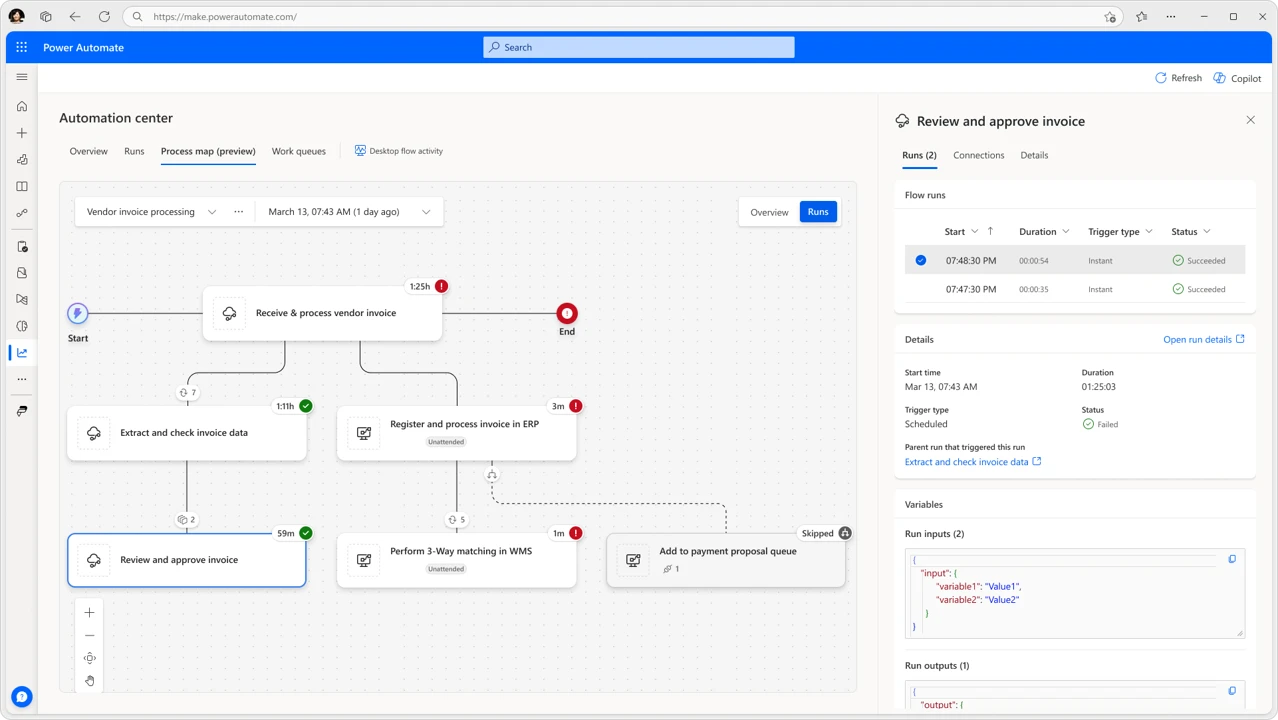 Power Automate’s page
What are Uipath and Power Automate: Key Features
But before starting with the direct comparison, let’s take a moment to present them individually and understand what are the characteristics that define these powerful automation solutions.
UiPath
UiPath Inc. was founded in 2005 in Bucharest, Romania, by Daniel Dines and Marius Tîrcă. Since then, the company has moved its headquarters to New York City. UiPath’s growth in the RPA market has been rapid and today it is used by more than 10,000 companies around the world. The platform is particularly suitable for various industries and complex automation use cases.
UiPath’s products focus on automating digital tasks using artificial intelligence and machine learning, with applications ranging from internal processes such as accounting to customer management. In addition to its core capabilities, UiPath includes advanced features such as data extraction, machine learning integration, and analysis.
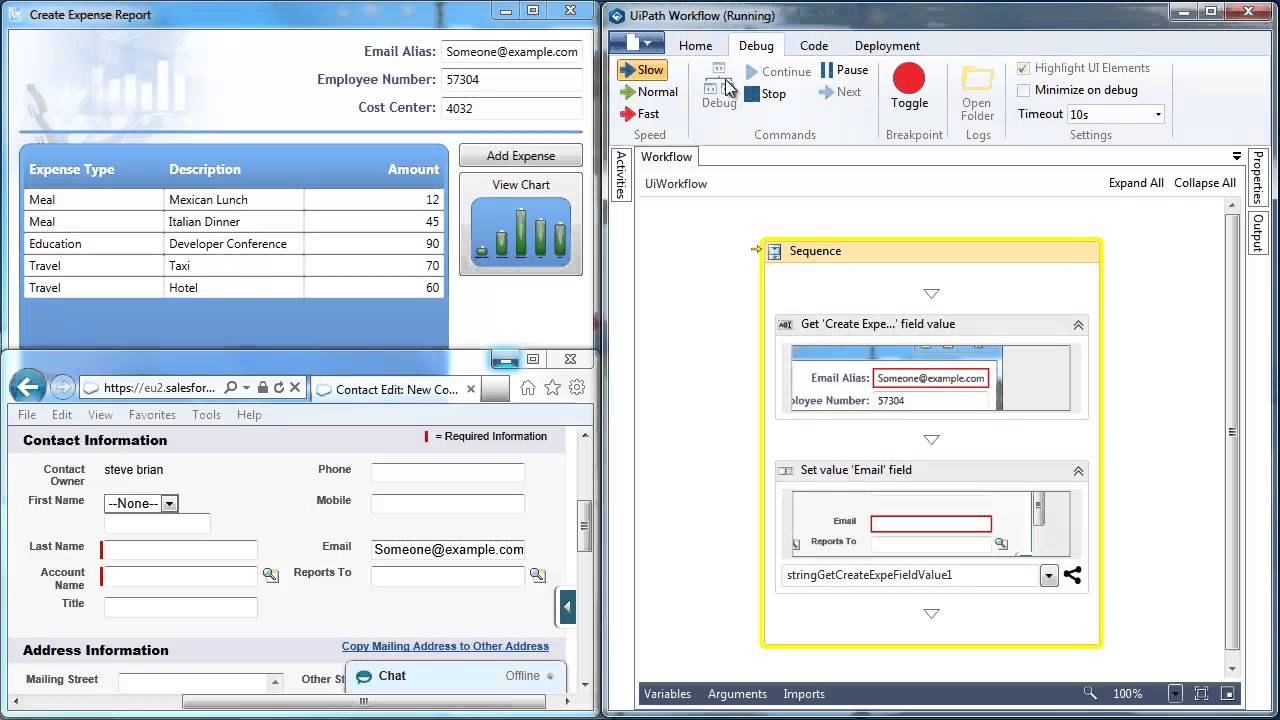 UiPath’s features and applications
UiPath has received positive feedback from a variety of industries for its ease of use, reliability, and strong integration capabilities. However, pricing remains a significant issue, especially for large businesses. Some users have also experienced issues with OCR capabilities and execution speed, describing them as “a bit flawed.”
Let’s now look at some of the key features of the UiPath’s offering below.
| Feature | Description |
|---|---|
| Drag-and-Drop Workflow | UiPath allows users to build process steps visually by dragging and dropping related activities. This feature makes it easier to create automation workflows. |
| High Scalability and Flexibility | The RPA tool is designed to be highly scalable, adapting to the needs of both small businesses and large enterprises. It offers flexibility in terms of deployment and usage. |
| Advanced Screen Scraping Solution | UiPath provides a robust screen scraping solution that works with different types of applications, including web and desktop apps. It is essential for extracting on-screen data for automation purposes. |
| Centralized Repository | The platform offers a centralized repository to store and manage all automation artifacts, ensuring better control and collaboration among team members. |
| Robust Security Features | UiPath places a strong emphasis on security, offering features such as secure credential management and encryption. |
| Advanced Analytics and Reporting | The platform includes advanced analytics and reporting capabilities, enabling companies to monitor RPA performance and gain insights for optimization. |
| Integration with Various Tools and Platforms | UiPath integrates seamlessly with tools and platforms, including ERP systems, productivity tools, and AI services, enhancing automation capabilities. |
| Intuitive User Interface | The platform is designed with an intuitive user interface, making it accessible to users with different levels of technical expertise and reducing the learning curve. |
Microsoft Power Automate
Microsoft Power Automate, formerly known as Flow, is a cloud-based platform offered as Software-as-a-Service (SaaS). It is designed to optimize and automate workflows. The tool allows consultants to automate processes that seamlessly integrate various applications and services.
It’s a versatile tool that allows users to design RPA processes from start to finish. The activities are customized based on the company’s workflow needs. Whether you want to automate the routing of your emails categorically or deal with form approvals, Power Automate can easily handle those needs and much more.
Power Automate is appreciated for its no-code philosophy, which makes creating workflows accessible even to beginners. Users appreciate its versatility and integration with external applications, with many finding the interface “intuitive and easy to learn.” Many also liked the templates, tutorials, and other resources available within the Microsoft community.
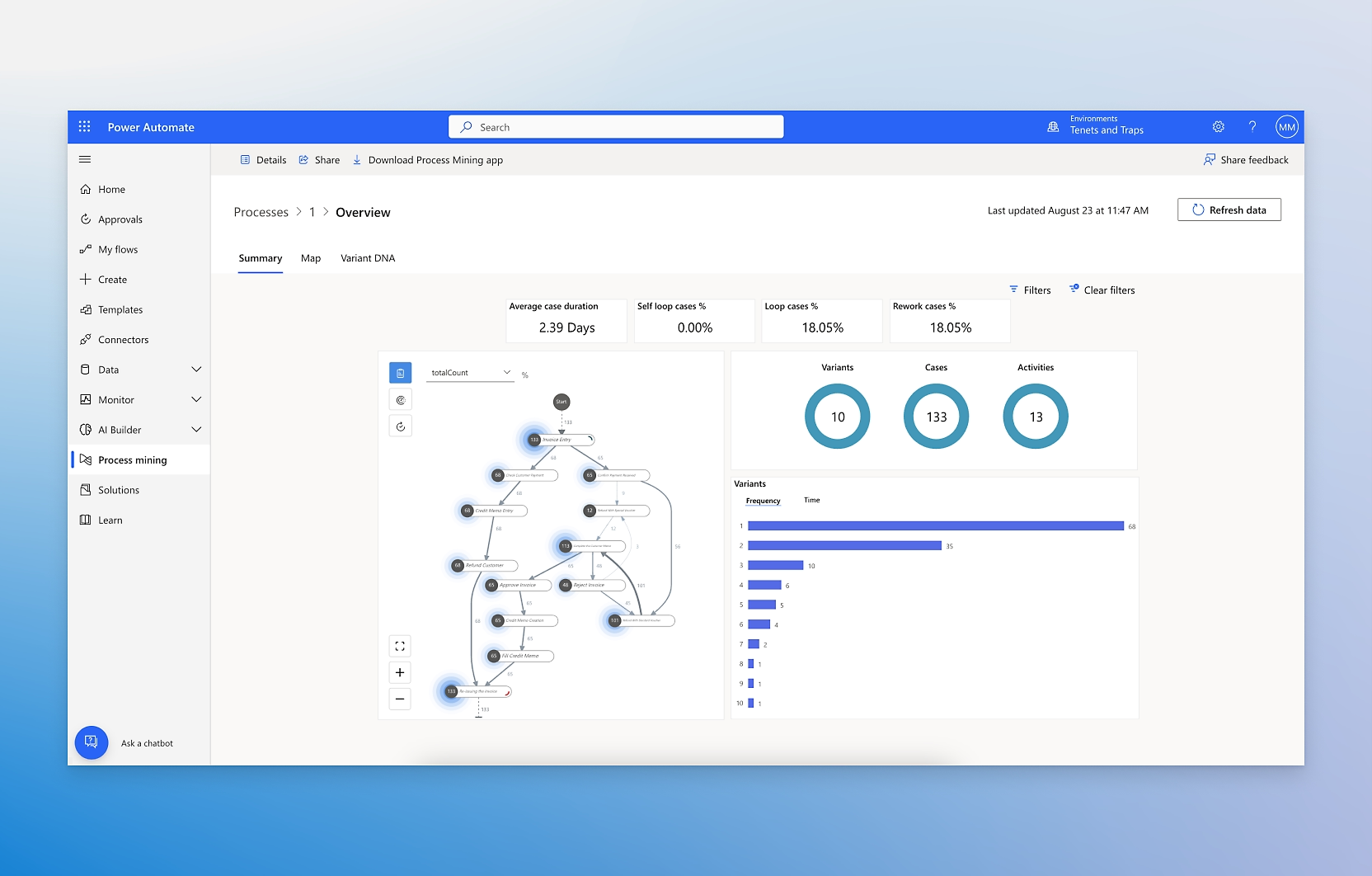 Power Automate: optimizing workflowsAccording to a study, 93% of Fortune 500 companies take advantage of Power Automate’s automation capabilities, and according to Gartner Peer Insights, 84% of Power Automate customers would recommend this platform.
Gartner notes that the increase in platform availability contributed to a 125% growth in Microsoft’s RPA operations between 2021 and 2022. Gartner also praises its intuitive design and competitive pricing strategy.
Now let’s see some of the key features that define the Power Automate offer:
| Feature | Description |
|---|---|
| Pre-built Templates and Flows | Power Automate offers a variety of pre-built templates and flows that allow users to quickly start automating common business processes. |
| Workflow Automation | Users can create custom workflows to automate repetitive tasks. These flows can integrate various applications and services, streamlining operations and improving efficiency. |
| AI Integration | Power Automate includes artificial intelligence capabilities, enabling smarter and more adaptable solutions. Organizations can also use Copilot to enhance automation workflows and simplify processes. |
| Data Synchronization and Notifications | The platform enables file synchronization across different applications and services. It also allows users to set up notifications and alerts based on specific events within workflows. |
| API Connectivity | Power Automate provides extensive API connectivity, allowing users to integrate and automate tasks across a wide range of applications and services. |
| Easy-to-Learn User Interface | The platform features an easy-to-learn user interface, making it accessible to anyone within the organization. |
| Collaboration Tools | It improves collaboration among team members by automating shared tasks and processes. |
| Customization and Flexibility | Power Automate enables a high degree of customization. Advanced users can tailor workflows to the specific needs of the organization. |
Uipath vs. Power Automate: the two compared
Now that we know the two better, it’s time to compare them.
In this comparison, we focused on what can be considered the key aspects to take in consideration when choosing a dedicated RPA software and we will try to understand which of the two solutions may represent the best choice for your business.
Performance
Both Microsoft Power Automate and UiPath offer both unmanned and manned bot orchestration, and provide AI solutions for businesses.
Power Automate is probably the most “professional” solution — anyone can use it, but advanced users will be more successful. It’s an advanced technical tool for developers who know what they’re doing and what they want to achieve. The learning curve may be slightly steeper, but this makes it an extremely powerful RPA tool. UiPath, on the other hand, has an apparently simple interface that is not always the easiest to use.
By creating customized AI solutions or pre-built models, companies can gain greater insights from the data they have.
With Microsoft’s offering, developers can access AI Builder, integrating artificial intelligence into everyday workflows. Similarly, UiPath’s AI Center offers the same drag-and-drop functionality seen across the platform to introduce machine learning models into automation workflows.
Power Automate hasn’t been on the market as long as UiPath, and in some areas this is still a small Achilles’ heel.
For example, while UiPath has a very active developer community that creates new flows every day, the Power Automate community is still growing, so there are fewer user-generated flows available. On the other hand, UiPath’s “long service” experience brings with it some difficulties; it’s not always the most accessible or easy-to-use RPA tool.
Perhaps the biggest difference between the two concerns how each manages computer vision.
This is the ability of a platform to ‘see’ and ‘understand’ changes on a website or within a system, adapting automation accordingly.
With UiPath, this functionality is available as a free additional tool; using Power Automate, it is possible to access the Azure cognitive service API as a connector, but it is not natively integrated into the system.
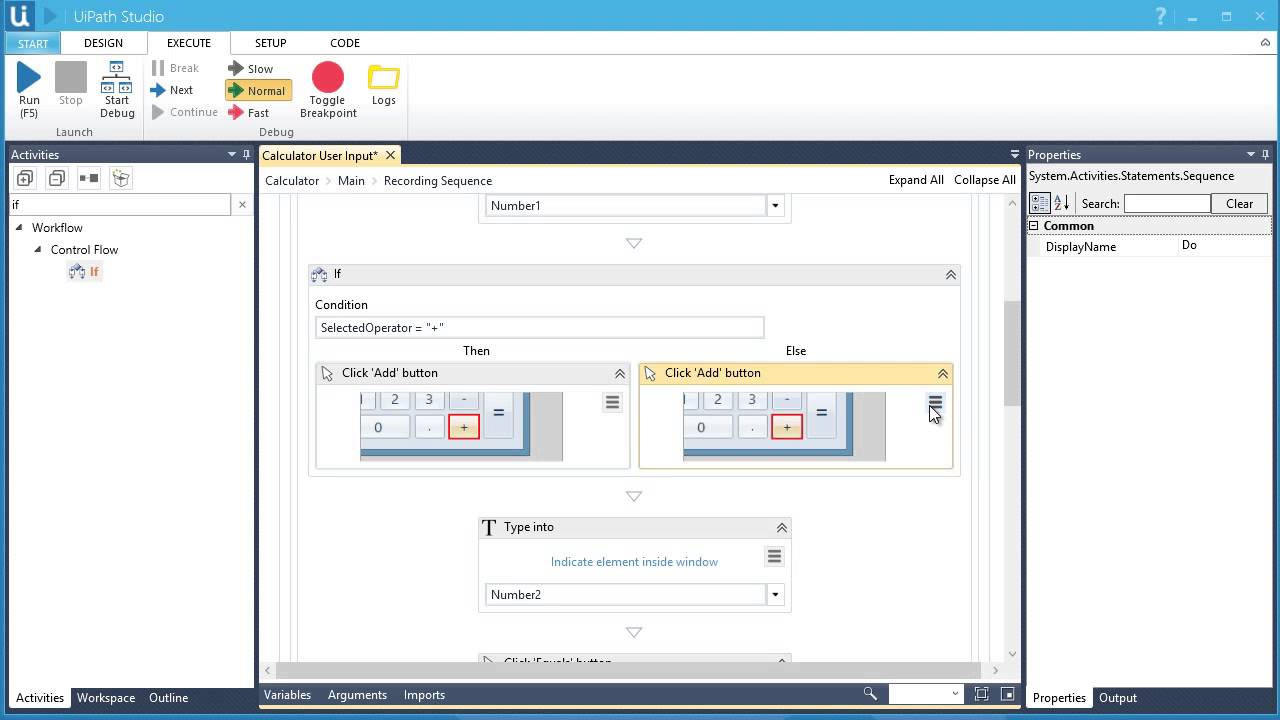 UiPath’s AI settings
Integrations
As expected, Power Automate connects seamlessly to a number of other Microsoft products, including all Power Platforms, Azure, SharePoint, Power BI, OneDrive, and even Teams. The tool will help in discovering insights and will personalize and extend capabilities across the ecosystem of Microsoft 365, Dynamics 365 and Azure.
Workflows can be connected to hundreds of data sources through a library of connectors, including popular platforms such as Salesforce and Trello, as well as the Microsoft Dataverse. You can see the full list of Power Automate integrations hither.
UiPath also integrates natively with a wide range of business applications, including some widely used in business such as Oracle, Salesforce and SAP. As for Power Automate, we leave the complete list at the link provided hither.
Privacy
UiPath has demonstrated a strong commitment to information security and data management. According to the company, processes have been implemented to protect the data, including “physical security measures, access control, organizational security measures, and incident management procedures.”
Most automated workflows require an unlocked screen to run. However, UiPath includes the option to allow a flow to run behind a locked screen, for greater privacy. Further increasing security, there is the option to encrypt and store credentials on a centralized server.
As expected, at a time when data privacy dominates the front pages of newspapers, Microsoft is equally committed to security, offering on its platform “the most comprehensive set of compliance offerings (including certifications and attestations) of any cloud service provider.”
Within the RPA tool, there is granular control over user privileges, so that only people who need to access the data can do so. Like UiPath, Microsoft also has a ‘trust center’ where more information is available.
Uipath vs. Power Automate: a look at the prices
We dedicate a separate mention to the pricing aspect, generally considered to be the key factor in choosing any software solution.
You can try both Power Automate and UiPath for free. However, be careful, because some functionality is limited in the trial version of UiPath.
In the industry, Microsoft Power Automate is generally considered cheaper than UiPath, and it is also possible to add more users (6000 versus 9000) to the system.
Regardless of the choice, both products require a subscription.
UiPath charges based on the number of robots, with additional costs for additional systems for unattended automation. Implementation costs are between 60,000 and 100,000 dollars (or their equivalent in euros), while online users say that annual license fees can vary between 3,000 and 6,000 dollars per year, depending on business needs.
The pricing structure of Microsoft Power Automate is clearer:
- Plan per user: 15,00€ per month
- Plan per user with assisted RPA: 40,00€ per month
- Plan for flow: starting from 500.00€ per month for five flows
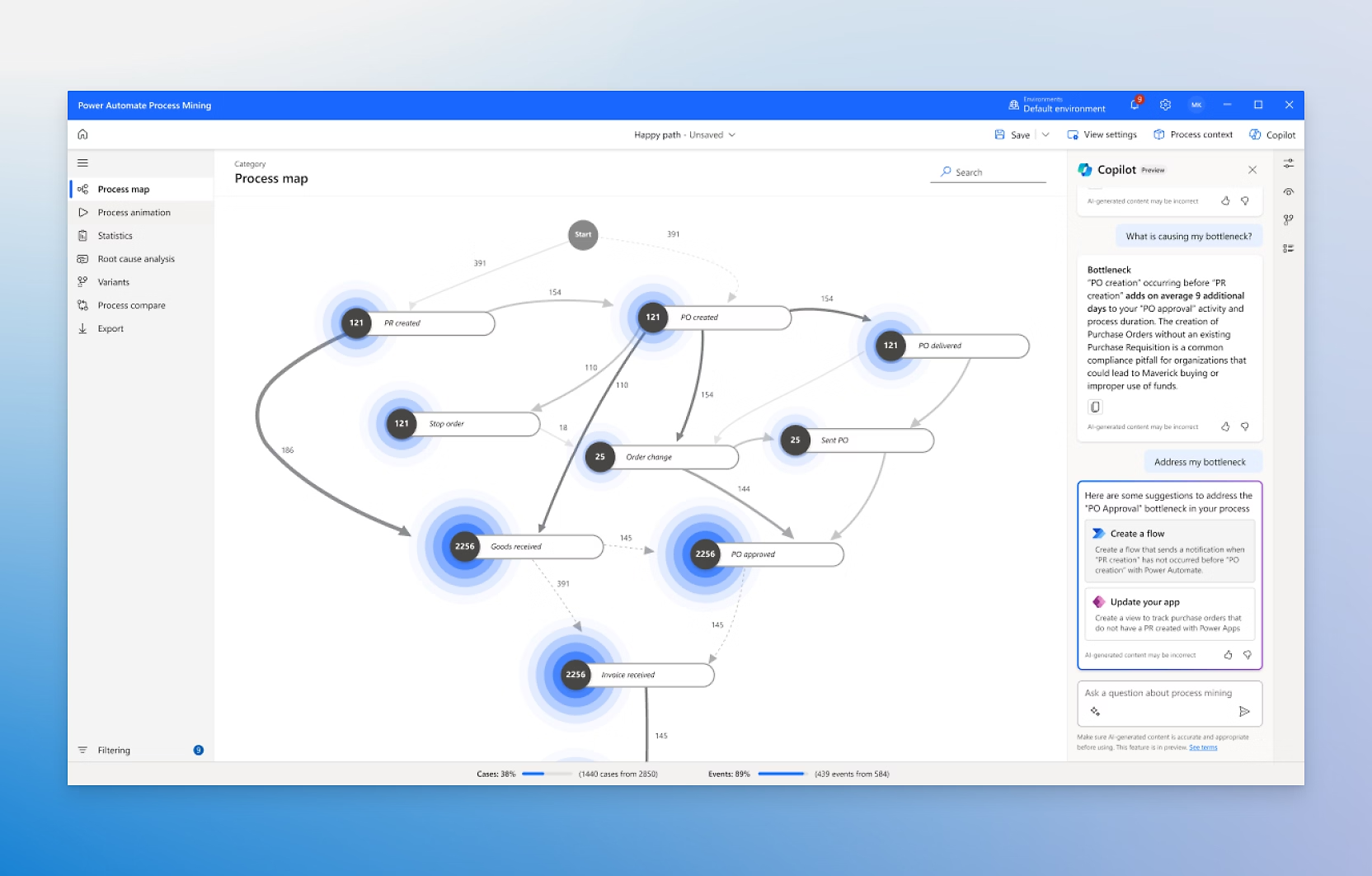 Power Automate’s page
Uipath vs. Power Automate: which one to choose
So, to recap the pros and cons of each of the two solutions, let’s look at the summary table below:
| Platform | Pros | Cons |
|---|---|---|
| Microsoft Power Automate | Quick setup: activation and rollout take just a few steps, making it suitable even for users with limited technical experience. Highly intuitive interface: enables business users, analysts, and developers to build automated flows independently. Advanced recorders: smart tools to capture manual processes and quickly turn them into automated workflows. Seamless integration with the Microsoft ecosystem: simplifies automation for organizations already using Microsoft 365, SharePoint, Teams, Dynamics, and Azure. Cost-effective solution: ideal for organizations that want to get started with RPA quickly while keeping costs under control. | Advanced capabilities work best with developers: more complex automations may require technical skills. Developer-focused training: official resources do not always fully support adoption by non-technical users. |
| UiPath | Active community with many templates: plenty of examples and preconfigured solutions to help teams get started. Extensive connector library: supports many integrations, including outside the Microsoft environment. Built-in recording tools: robust features to map and replicate user interactions. Multi-cloud support: enables workflows to be deployed across different cloud environments (Azure, AWS, Google Cloud). Comprehensive learning paths: offers a wide range of courses for different roles and skill levels. | Pricing is not always transparent: the final cost can increase due to add-on modules and licensing. Higher long-term costs: advanced features and scalability come at a price. Steeper learning curve: initial use may feel complex for those unfamiliar with the tool. Less presence on external platforms: may be less integrable in mixed or non-proprietary environments. |
So we come to the fateful question: which one to choose?
Powerful in different ways, your choice will depend as always on your current and future needs. If you haven’t already considered where you are and where your business needs to go, now is the perfect time.
Microsoft Power Automate is cheaper to deploy and is easier to start using it. This makes it the best choice for focused automated tasks, where it is necessary to start small, perhaps creating one or two flows and then developing the workflows as the need grows.
It also offers several advantages that make it an attractive choice for companies looking to simplify their workflows and automate repetitive tasks. One of its main advantages is precisely its user-friendly interface. The platform is designed to be intuitive and accessible, allowing non-technical users to easily navigate the tool.
This low barrier to entry means that organizations can empower their employees to create automation solutions without the need for in-depth training or programming skills, thus increasing overall productivity.
Another notable benefit of Power Automate is its strong integration with Microsoft products. For organizations that already use Microsoft 365, Power Automate offers a seamless connection to a range of applications, including Outlook, SharePoint, and Teams.
This integration allows users to easily automate tasks on these platforms, creating a cohesive workflow that improves efficiency. In addition, the predefined templates and connectors available in Power Automate can speed up the configuration process, allowing companies to quickly implement automation solutions customized to their needs.
UiPath, on the other hand, is designed to manage complex processes that often involve multiple systems and applications, making it an ideal choice for larger companies that want to simplify complex workflows and may be the preferred choice for large companies that aim to implement comprehensive automation strategies across departments.
A notable drawback is its learning curve. While UiPath offers powerful functionality, maximizing its capabilities often requires a certain level of technical expertise. This can be a challenge for organizations with limited IT resources or those that rely on non-technical personnel to create and manage automation solutions. As a result, organizations may need to invest in training or hire specialized personnel, resulting in increased operating costs.
In addition, the cost of UiPath can be a significant consideration. The platform generally has a higher price than other automation tools, which can be prohibitive for small businesses or startups operating on tight budgets.
And while online users appreciate the frequent updates to UiPath’s functionality, Microsoft Power Automate is identified as the most suitable tool to meet business objectives, probably the most important factor when choosing between different RPA tools.
Conclusions
Automation was once the preserve of a few large companies that could afford customized solutions that were extremely expensive and demanding to develop, but with the technological advancement of recent years, the landscape has drastically changed.
It is now essential for businesses of any type and size to automate their operations and software such as Power Automate can represent an excellent choice for companies that want to adopt solutions that are both fast and efficient to achieve this goal, with the certainty that their automations can grow with their needs.
And with the right consultant partner, your journey into the world of automation accompanied by Power Automate can be even simpler and at the same time richer, allowing a degree of customization and adaptation of the implemented solutions that guarantees the maximum return on your investment. Try it to believe it.
FAQs about UiPath vs. Power Automate
1. What is a Robotic Process Automation (RPA)?
RPA is a technology that automates repetitive, rules-based tasks through software robots, reducing manual errors, execution time, and operational costs.
2. What is the main difference between UiPath and Power Automate?
UiPath is better suited for complex, large-scale automations, while Power Automate is ideal for quickly launching automations integrated with the Microsoft ecosystem, even with limited technical skills.
3. Are UiPath and Power Automate both RPA tools?
Yes. Both offer RPA capabilities, but Power Automate combines RPA, workflow automation, and low-code/no-code integration within the Microsoft Power Platform.
4. Is Power Automate suitable for non-technical users?
Yes. Power Automate is designed to be accessible to business users thanks to an intuitive interface, prebuilt templates, and a no-code approach, while still offering advanced features for developers.
5. Is UiPath more powerful than Power Automate?
It depends on the context. UiPath is more powerful for managing complex, multi-system processes at high scale. Power Automate is more effective for fast, integrated automations focused on business productivity.

Written by
Miro Radenovic
Modern AI Apps · Dev4Side
Dev4Side Software · Microsoft Gold Partner
Need help implementing this in your company?
Our specialist teams have delivered 200+ Microsoft implementations across Italy. Contact us for a free, no-obligation evaluation of your project.
Related articles
Microsoft Purview Compliance Manager: Compliance without complications
Discover Microsoft Purview Compliance Manager, the tool that can help your company to easily meet compliance requirements.
Microsoft Security Awareness Training: all the official resources
Discover the official Microsoft resources for Security Awareness Training and how to strengthen the company's security posture starting with employees.
Microsoft Defender for IoT: what is it and how it works
An introductory overview of how Defender for IoT can help your company secure its industrial networks and critical infrastructure.