
Automation tools have become essential for businesses that aim to improve productivity and efficiency. Among the many options available, Power Automate and Zapier stand out as two of the most popular choices. Both platforms offer robust functionality to automate repetitive tasks and integrate different applications, but how do you decide which one best suits your needs? In this article, we'll provide an in-depth analysis of Power Automate and Zapier and review features, functionality, pricing, and use cases to see how to make an informed decision about which tool is best suited to your organization's automation needs.
.png)
It is likely that, before arriving at this article, you have thought about how the automation of some daily tasks can free up precious time in the office.
Automation is everywhere. From healthcare systems to industrial production, to risk assessment in the insurance sector, activities once considered exclusively human are now carried out by automated solutions with incredible precision and detail.
As a result, most companies are excited to embrace the automation trend, but are at a crossroads: with so many solutions available on the market, which tool is truly ideal for their needs?
And this is where the comparison between Zapier and Power Automate comes in. These are two of the most popular automation solutions and among the easiest to use today. Both offer efficient automated workflows, but they do so through different approaches.
Whether you're a small business owner eager to streamline operations or an IT professional in a company that intends to implement automation on a large scale, understanding the strengths and limitations of each platform is critical. So let's explore these automation tools to find out which solution can best boost your productivity.
But before starting with our direct comparison, let's take a moment to see the two individually and understand what are the characteristics that distinguish them.
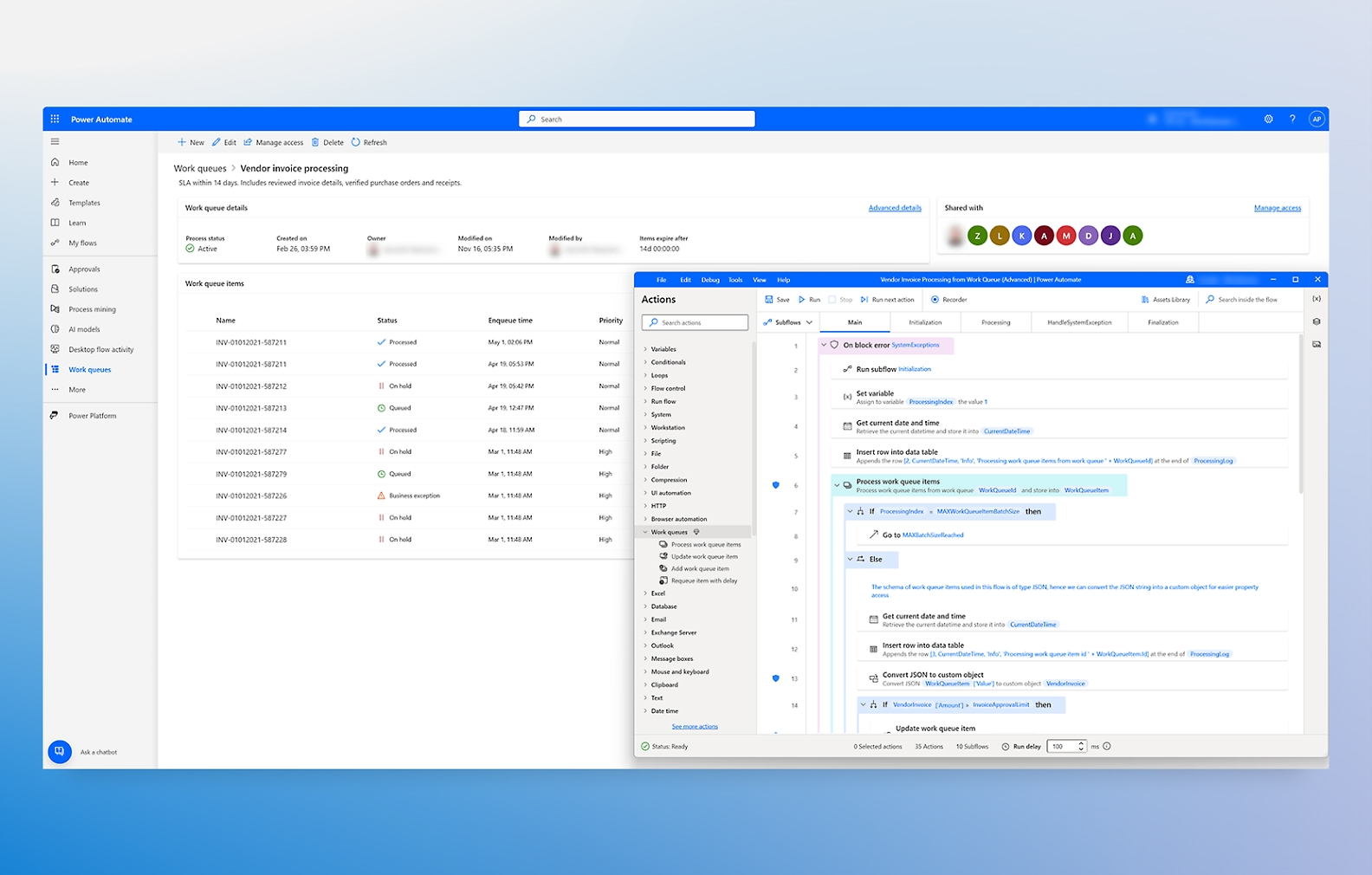
Zapier is an established player in the workflow automation market, known for its intuitive interface and wide range of integrations with applications. It is designed to connect different web applications, allowing users to automate tasks between them without any programming knowledge.
In Zapier, automated workflows are called 'Zaps'. A basic Zap consists of a Trigger (an event in an app) and from a stock (a task performed in another app). Multi-step Zaps allow you to create more complex workflows, where a single trigger can activate a series of actions on multiple applications.
Let's see what the main features of the tool are in the table below:
Zapier's strength lies in its ability to connect a huge number of web applications. From CRM systems and marketing tools to project management software and e-commerce platforms, Zapier is most likely to offer integration for most of the web tools commonly used by companies.
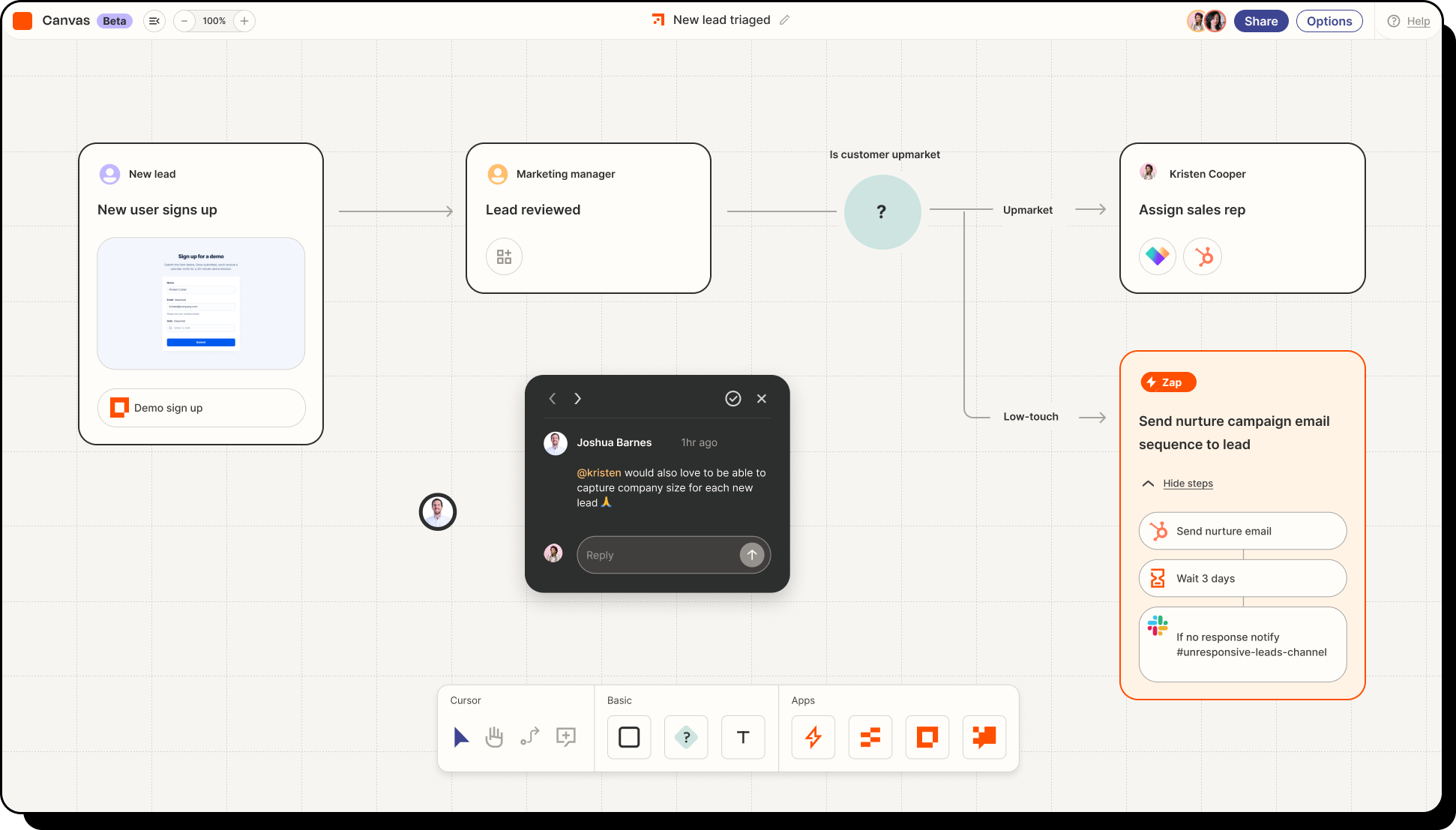
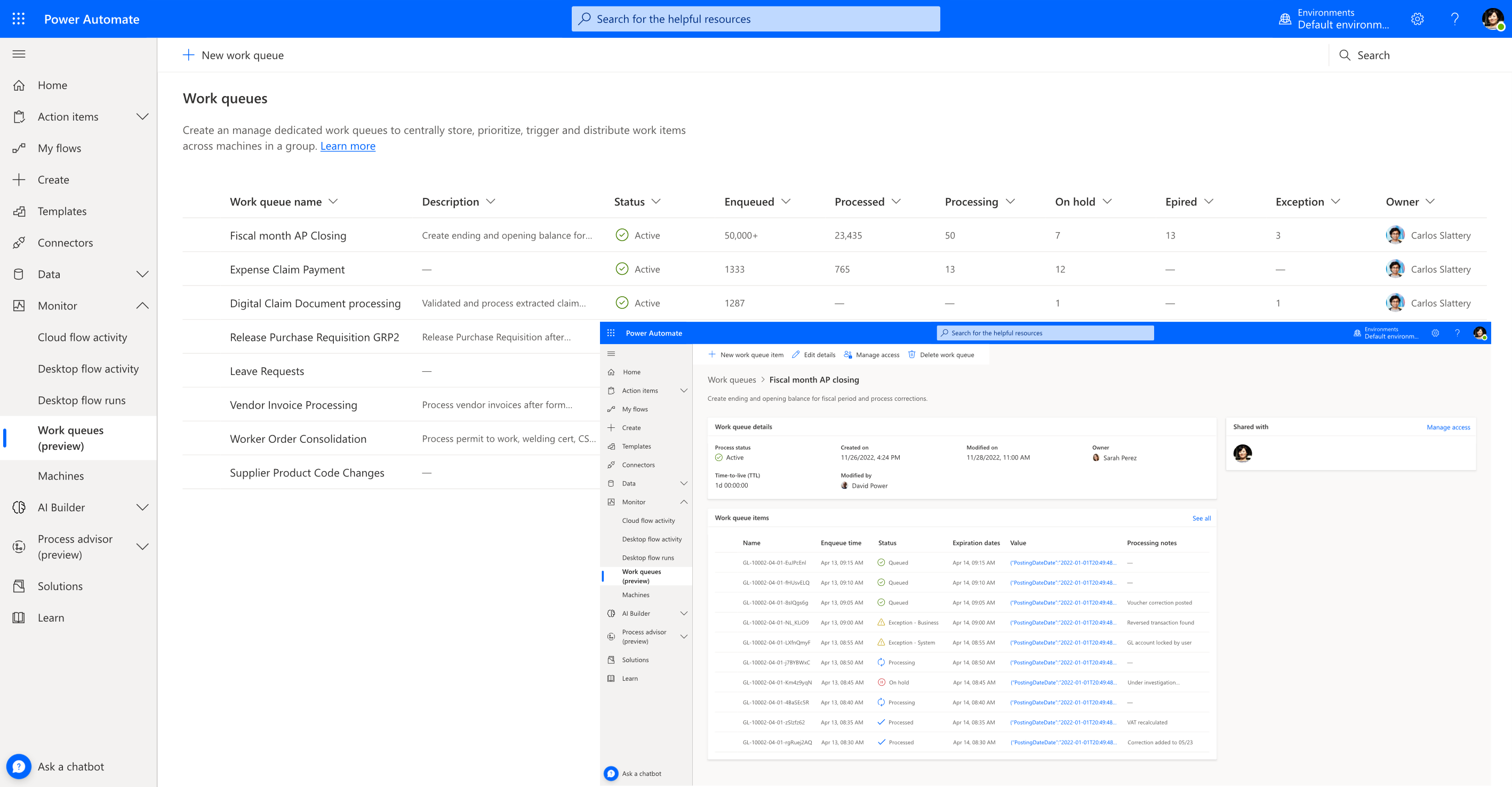
Microsoft Power Automate is a cloud platform offered as Software-as-a-Service (SaaS) within the suite Power Platform (which also includes Power Apps and Power BI). It is designed to optimize and automate workflows and allows professionals and beginners to automate processes that seamlessly integrate different apps and services.
It is a versatile tool that allows users to design automation processes from start to finish. The activities are adapted to the company's operational needs. Whether it's automating the categorization of emails or managing the approval of forms, Power Automate is perfectly capable of meeting these needs and much more.
Power Automate is appreciated for its no-code approach, which makes the creation of flows accessible even to beginners. Users appreciate its versatility and integration with external applications, calling the interface “intuitive and easy to learn”. Also, many liked the templates, tutorials, and other resources available.
Let's see the main characteristics that define the Power Automate offer below:
The versatility of Power Automate makes it suitable for a wide range of scenarios, ranging from the automation of simple activities to complex and articulated business processes, but one of its main strengths is its smooth integration with other Microsoft products.
Users can easily automate tasks involving Microsoft 365 applications (such as Outlook, Teams, and SharePoint), Dynamics 365, and Azure services. This tight integration makes it possible to create powerful and complex automations within the Redmond software ecosystem in an easy and fast way.
According to a Microsoft study, 93% of Fortune 500 companies use Power Automate's automation capabilities; in addition, according to Gartner Peer Insights, 84% of Power Automate customers would recommend the platform.
Gartner notes that the increased availability of the platform contributed to a 125% increase in Microsoft's RPA operations between 2021 and 2022, and growth continued steadily through 2025, with further increases expected after the integration with Copilot. Gartner also praises the user-friendly design and competitive pricing strategy.
Dev4Side Software specializes in creating business apps with Power Apps, drastically reducing internal application development and maintenance processes.
Operating vertically across the entire Microsoft Power Platform ecosystem, we have developed extensive expertise in Power Apps, which allows us to offer custom-designed and fully integrated solutions within your Microsoft 365 tenant.
Contact us to transform business information into concrete actions.
Introducing the two contenders, now the time has come to put them one next to the other and understand together how they differ. But first let's start with the similarities between the two tools:
If they are so similar, how do you decide? Well, let's see why one might be a better fit for your organization.
Zapier is quick and easy to start using. Its drag-and-drop interface makes creating workflows a breeze, even if you're not tech-savvy. Plus, their template library helps you get started quickly, which is a big advantage if you're short on time.
Microsoft Power Automate, however, appears more complex. It has a visual interface, sure, but if you're new to Microsoft tools or if you're not familiar with automating workflows, it might feel overwhelming. That said, if you're already comfortable with 365 or Dynamics, the integration is really great, which could make the learning curve more advantageous.
Zapier is therefore ideal if you are looking for a tool that is as easy to use as possible and that you can start using without any preparation. Power Automate is more suitable for users with a minimum of previous knowledge, beginners or those who are already familiar with the Microsoft ecosystem.

Although both tools integrate with many other applications, the first step in choosing the right tool should be to review the applications with which you need to connect for your solutions and verify the compatibility of each tool.
Power Automate is part of the Microsoft ecosystem, so if your organization has invested in Microsoft products for its digital infrastructure, this is the most natural choice.
Practically every business around the globe uses many Redmond applications every day (Word, Outlook, SharePoint, Dynamics, Azure, etc.) and building solutions with Power Automate will be the most suitable choice. Even if you were to use third-party software, the platform offers more than 1,000 connectors for tools outside the Microsoft ecosystem.
On the other hand, if you prefer to use a more “autonomous” tool, Zapier may be the best choice and the tool also offers a rather impressive number of connectors (over 2,000) that cover many of the software used in the modern business landscape.
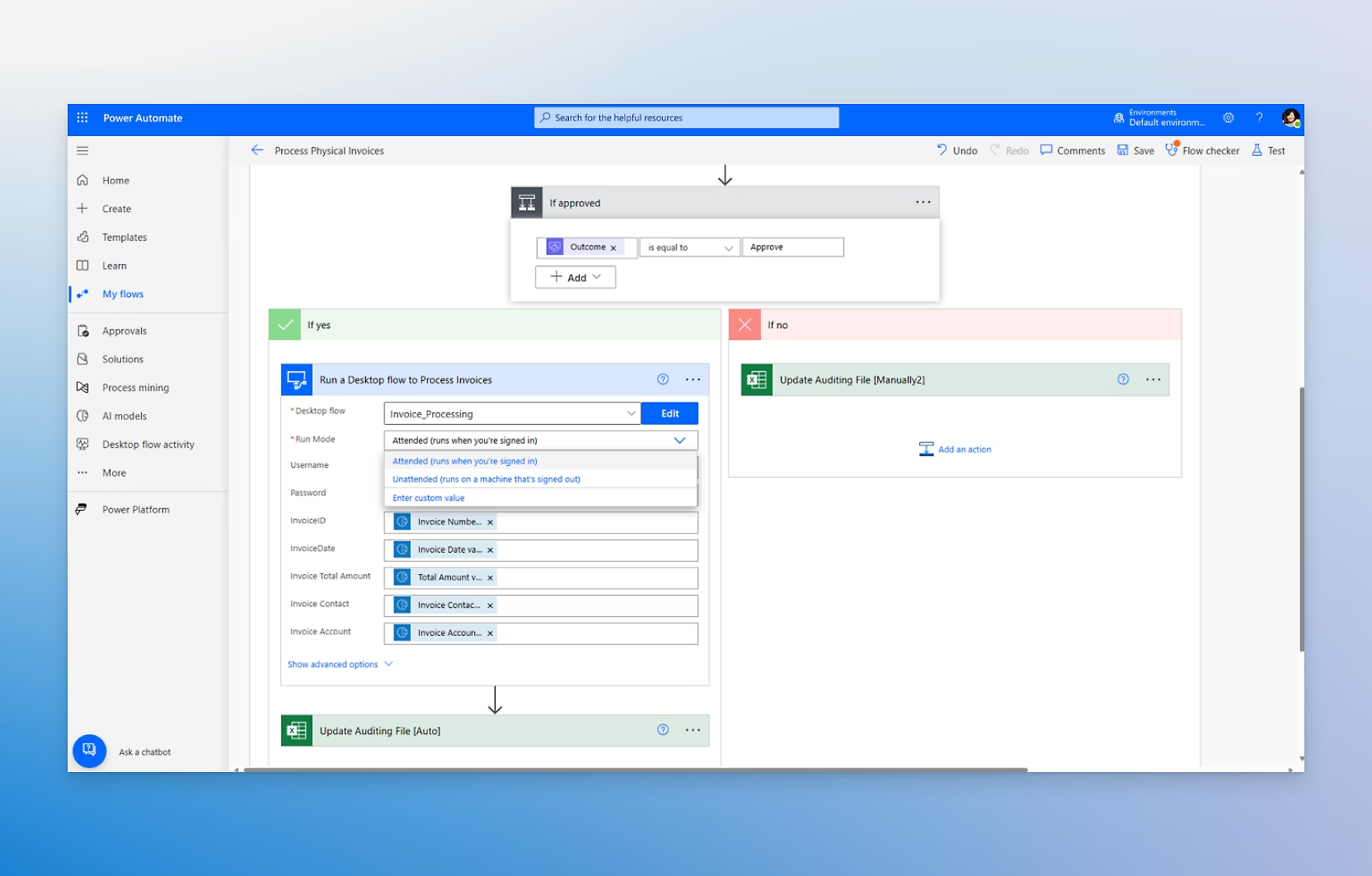
Zapier is great for simple workflows, but it struggles when things get complicated. For example, while the “Path” function allows you to add some branches, it's not ideal for managing multi-step workflows with many conditions. Error handling is also pretty basic: you'll probably have to intervene manually to fix things if something goes wrong.
Microsoft Power Automate handles this situation better. Whether it's branches, cycles, or parallel processing, this tool can handle more complex workflows. In addition, it offers robust error detection and troubleshooting. This means less headache if something should go wrong.
Security, together with compliance requirements, is an essential factor that determines the choice between Power Automate and Zapier for an enterprise-wide implementation.
In terms of security, Zapier manages the basic aspects well. It uses SSL encryption, which is good for most small businesses. However, it doesn't have the certifications that larger organizations or regulated industries might require, such as compliance with ISO or HIPAA.
Microsoft Power Automate takes security to the next level. Thanks to Microsoft's infrastructure, it offers certifications such as ISO, GDPR, HIPAA and SOC. For industries with strict compliance needs, this makes the Redmond's house platform a much stronger choice from this point of view.
Now we come to one of the most important questions: how much do they cost? Let's be clear: in both cases, it can get a bit complicated with add-ons, depending on how advanced the features you're trying to implement are. So let's try to reflect on the solutions we intend to create with the tool and determine if we will need add-ons.
When it comes to pricing, Zapier is pretty simple—it uses an activity-based model. Simplicity is great to get started, but it can get expensive if you're managing a lot of workflows, as every action counts toward its limit.
On the other hand, Microsoft Power Automate uses a usage-based model, and it's especially convenient if you're already using Microsoft 365. While you can access a basic version at no additional cost as part of your 365 subscription, advanced features such as premium connectors and AI Builder come at a higher price.
So now we come to the fateful question: which of the two is the best solution?
People who use Microsoft 365, Microsoft Azure, and Dynamics 365 products should exclusively choose Power Automate for their workflow automation needs.
Zapier, net of greater cross-platform integration, works best when is used for simple automation tasks. Power Automate, on the other hand, operates at higher levels of complexity than other low-code platforms, to implement enterprise-level workflows that are secure and condition-based.
Power Automate's AI Builder then surpasses Zapier's most basic functionalities with its technological capabilities for document understanding, form processing and language detection. Zapier, on the other hand, relies on integrations with third-party AI tools without offering real proprietary solutions and ending up becoming a gamble in terms of the quality of the AI tools made available.
The set of tools and features that Power Automate offers allows organizations to implement advanced automation capabilities. Zapier's flexible design capabilities, on the other hand, limit its ability to create complex automation solutions for enterprise-level implementations.
Considering the greater ability to manage complex flows and the more stringent security and compliance measures, for use in the business environment, we would like to give our vote to Power Automate.
Although Zapier may be an excellent introduction to the world of automation, the Microsoft tool is a solution that was created for the professional and business environment and respects the needs of every type of business: from small and medium-sized enterprises to large corporations, always having an eye for the growth of their organization.
Automation was once the preserve of a few large organizations that had large budgets to dedicate to their digital infrastructures. But music has changed some time ago and automating business processes has become an increasingly pressing need.
Solutions such as Zapier and Power Automate are a concrete example of how this practice is now not only infinitely cheaper, but also available to everyone on a more purely technical level.
And although the first is an excellent entry point for freelancers and very small businesses, if you really want to take full advantage of the power of automation and have a tool that is able to grow with your growing needs, Power Automate is the solution for you.
1. What is the difference between Zapier and Power Automate?
Zapier and Power Automate are both workflow automation tools, but they serve different needs. Zapier is designed for simple and quick automations between web applications, while Power Automate is a more advanced platform suited for complex business processes and natively integrated with the Microsoft ecosystem.
2. Zapier or Power Automate: Which One Is Easier to Use?
Zapier is generally easier to use for users without technical skills, thanks to a very intuitive interface and prebuilt workflows. Power Automate requires some familiarity with Microsoft 365 or automation concepts, but it offers greater power and flexibility.
3. Which tool is more suitable for businesses?
Power Automate is better suited for structured business environments, especially for organizations already using Microsoft 365, Azure, or Dynamics. It provides advanced security, governance, and access management features that are essential in enterprise scenarios.
4. Is Zapier suitable for large enterprises?
Zapier can also be used by mid-sized and large companies, but it performs best in simpler scenarios. When workflows become complex or advanced security and compliance controls are required, Power Automate is generally the more appropriate choice.
5. Which platform offers more integrations?
Zapier offers a larger number of ready-to-use integrations with third-party web applications. Power Automate, on the other hand, excels in integrations with Microsoft products and provides over 1,000 connectors, including external services.
The Modern AI Apps team responds swiftly to IT needs where software development is the core component, including solutions that integrate artificial intelligence. The technical staff is trained specifically in delivering software projects based on Microsoft technology stacks and has expertise in managing both agile and long-term projects.


