
AI Agents for Business on Microsoft 365
From picking the right technology (Copilot Studio, Azure OpenAI, RAG) to running production agents inside Teams and SharePoint — Dev4Side's guides and real-world cases on AI agents for business across the Microsoft ecosystem.
The challenge
The challenges companies face today.
Too many Microsoft AI options, not enough clarity on which one fits
Copilot Studio, Microsoft 365 Copilot, Azure OpenAI Service: similar names, different purposes. Picking the wrong tool means months of development in the wrong direction.
A chatbot that answers, not an agent that acts
Most enterprise AI projects stop at an FAQ chatbot. A real agent pulls data from SharePoint and Dataverse, opens tickets, sends notifications — it acts inside your processes, not alongside them.
Proofs of concept that never reach production
Convincing demos that then fail on governance, Entra ID permissions, audit logging. The jump from prototype to production system is where most projects stall.
Deep dive
Why “AI agent” actually means something specific in 2026
Until recently, on Microsoft 365, “AI agent” was close to a synonym for “chatbot with some extra automation.” In 2026 the definition changed for a concrete technical reason: in March, Microsoft brought multi-agent orchestration in Copilot Studio to general availability, with support for the Agent-to-Agent (A2A) protocol — an open standard that lets an agent built on Copilot Studio call and coordinate with agents built on other platforms, not just with other Microsoft agents. The Microsoft 365 Agents SDK fills in the missing piece: a single orchestration layer that lets native Microsoft 365 agents and Copilot Studio agents work together on the same flow.
In practice: an HR agent that needs to open a ticket, check company policy on SharePoint, and update a record in an external system is no longer three integrations to maintain by hand — it’s a declared orchestration between specialized agents. That’s the difference between “a chatbot that can answer” and “a system that can act and delegate” — the same distinction that runs through every real case collected in this hub.
The real problem isn’t building the agent — it’s governing it
An agent that acts inside business processes — opening tickets, reading confidential documents, writing to external systems — is an identity accessing sensitive data much like an employee, but without an employee’s day-to-day supervision. Microsoft addressed this by launching Agent 365 on May 1, 2026: a control plane built specifically for enterprise-scale agent governance. Every agent gets its own identity in Microsoft Entra, can be subject to Conditional Access policies like a human user, and is centrally observable alongside every other agent in the organization — including third-party agents connected via A2A.
This is also where most proofs of concept stall. A demo that answers well in a test environment says nothing about what happens when that same agent has to respect a real user’s actual SharePoint permissions, pass a security audit, or be switched off in one click if something goes wrong. That’s the gap between a prototype and a production system — and it’s why the case studies on this page all share the same governance and Entra ID permission requirements, not just agent functionality.
Where to actually start
The technical choice depends on the question you’re solving, not on which technology sounds most promising. If the need is answering questions about procedures, documentation, or internal know-how, you start with RAG (Retrieval-Augmented Generation) or an LLM Wiki connected to SharePoint — the system retrieves and synthesizes, it doesn’t act. If the need is automating an action — opening a ticket, updating an order status, routing an approval — you start with a Copilot Studio agent integrated into Teams or Outlook, with controlled access to the systems it needs to touch. When you need full control over the model, the architecture, or non-standard reasoning logic, you move down to Azure OpenAI Service and build on the infrastructure layer instead of the low-code platform.
The content on this page — technical guides, comparisons and real-world cases built on the Microsoft ecosystem — is organized below to answer each of these questions in detail. For the full implementation path (assessment, development, adoption), the reference page remains AI integrations for Microsoft 365, where you’ll also find the Copilot Circle program for structured Microsoft 365 Copilot adoption.
Explore further
All the content, organized by topic.
Adopting Copilot in the enterprise
Read in this order: the entry point, then the field-tested proof.
Building agents and chatbots on Copilot Studio
The technical guide plus three real cases of the same pattern across different industries.
- How to build a chatbot with Microsoft Copilot Studio Blog
- HR AI agent on Copilot Studio Case study
- AI agent for tender analysis Case study
- AI agent for social media guidelines on Teams Case study
- How to develop a plugin for Microsoft 365 Copilot Blog
- The Copilot plugin we built for a client Case study
Copilot across Microsoft 365 apps
What changes from app to app.
RAG, LLM Wiki and Azure OpenAI
From the definition to choosing between the two approaches.
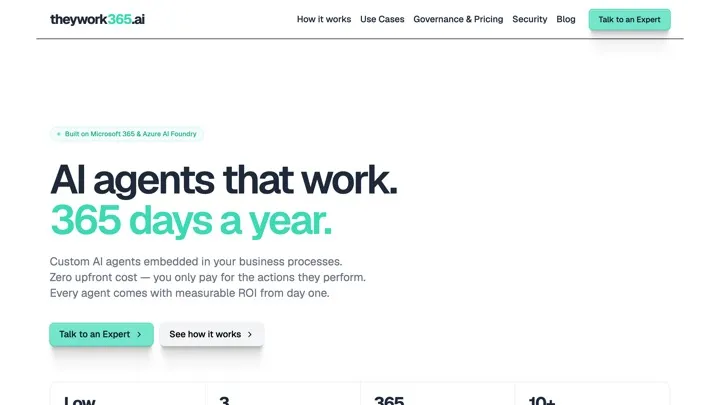
Need the agent ready-made, not a custom project?
For standard needs (HR, IT, sales) that don't require a bespoke build, theywork365 offers pre-built AI agents for Microsoft 365, pay-per-action.
Why us
Microsoft Gold Partner for 15 years. Vertical on your industry.
19 pieces of content, one single entry point
Not another article: a map of everything Dev4Side has written and built on AI agents, Copilot Studio and RAG across the Microsoft ecosystem — organized for people who need to orient themselves, not read everything.
Same pattern, proven across different real cases
The same stack — an AI agent on Copilot Studio, integrated into Teams, with search over SharePoint — applied to HR, tender analysis and social media guidelines. Three different industries, one validated method.
From technical guide to custom project
Each piece of content here answers one precise question (how to build a chatbot on Copilot Studio, what differentiates RAG from an LLM Wiki); for the full implementation project, the path continues on AI integrations for Microsoft 365.
FAQ
Frequently asked questions
What's the difference between Microsoft 365 Copilot, Copilot Studio and Azure OpenAI Service? +
Microsoft 365 Copilot is the AI assistant built into Office apps (Word, Excel, Teams) for the individual user. Copilot Studio is the low-code platform for building custom conversational agents connected to company data and actions. Azure OpenAI Service is the infrastructure used to build custom AI solutions (RAG, automation, knowledge bases) when you need full control over the model and architecture. The three are often used together: a Copilot Studio agent can lean on Azure OpenAI for complex reasoning.
Where do you start when building an AI agent on Microsoft 365? +
From the question the agent needs to solve, not from the technology. If the need is answering questions about procedures and documentation, you start with RAG or an LLM Wiki on SharePoint. If the need is automating an action (opening a ticket, retrieving an order status), you start with a Copilot Studio agent integrated into Teams. The guides in this hub cover both paths with concrete examples.
Are the case studies in this hub real projects or proofs of concept? +
They are production projects. The most-cited case — an AI agent on Copilot Studio for HR, integrated into Teams with search over SharePoint — is used daily by the client, not a demo. The same pattern has been replicated for tender analysis and social media guidelines, with the same governance and Entra ID permission requirements.
Get started
Ready to bring AI Agents for Business on Microsoft 365 to your company?
Microsoft Gold Partner for 15 years, with over 200 successful implementations. Contact us for a free, no-obligation evaluation.